compassGuidance Center

Learn how to provide guidance to automations in the Guidance Center.

Overview

When an automation requires additional context or clarification to proceed, it raises an exception. An exception is an error or unexpected condition that prevents the automation from completing successfully. Exceptions are resolved through guidance — input provided to the system on how to proceed. Using the Guidance Center, you can quickly provide guidance across automations to keep them running smoothly.

Exceptions

Exceptions are issues that prevent an automation from completing successfully. They occur when Kognitos encounters an unexpected condition, such as missing or invalid data, failed integrations or connections, and scenarios it hasn't been taught to handle yet.

Types

Exceptions are grouped by the following types:

  1. System Errors

Issues related to the Kognitos platform or internal processes. These are typically resolved by the Kognitos engineering team, and you'll be notified when they're fixed.

  1. Configuration Errors

Issues with missing credentials, permissions, or integration settings that prevent your automation from accessing external systems.

Example: Missing API key for an integration; authentication credentials have expired.

  1. Value Errors

Missing or unclear data that prevents the automation from proceeding.

Example: A required field like "Invoice Number" is missing from a document, or a value appears in an unexpected format.

  1. Validation Errors

Issues where the automation needs confirmation that a condition or business rule has been met.

Example: Verifying that a contract clause meets company policy requirements.

Using the Guidance Center

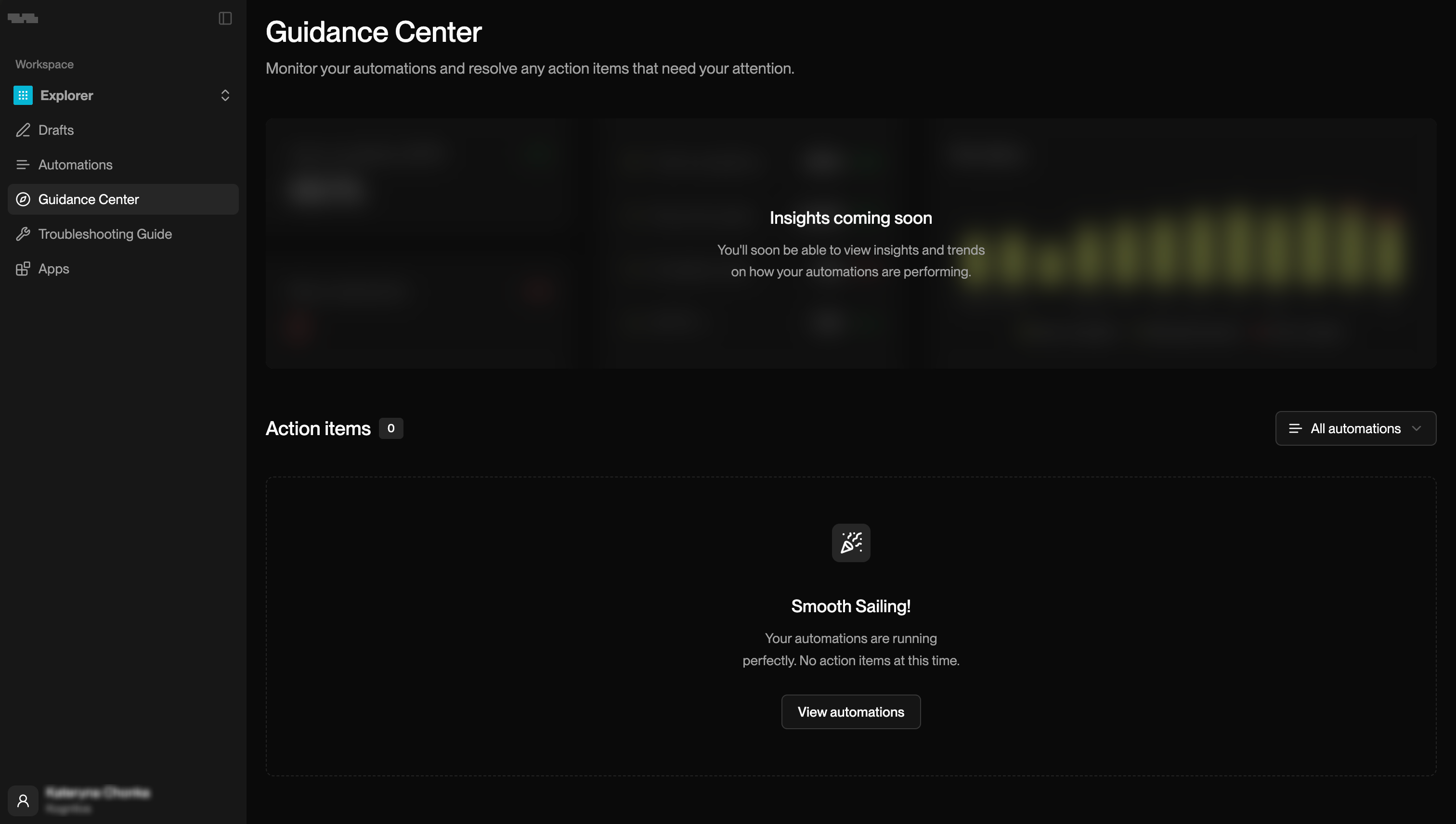
Access the Guidance Center from the left navigation menu. It displays all open exceptions across your workspace, organized by automation and exception type.

Dashboard

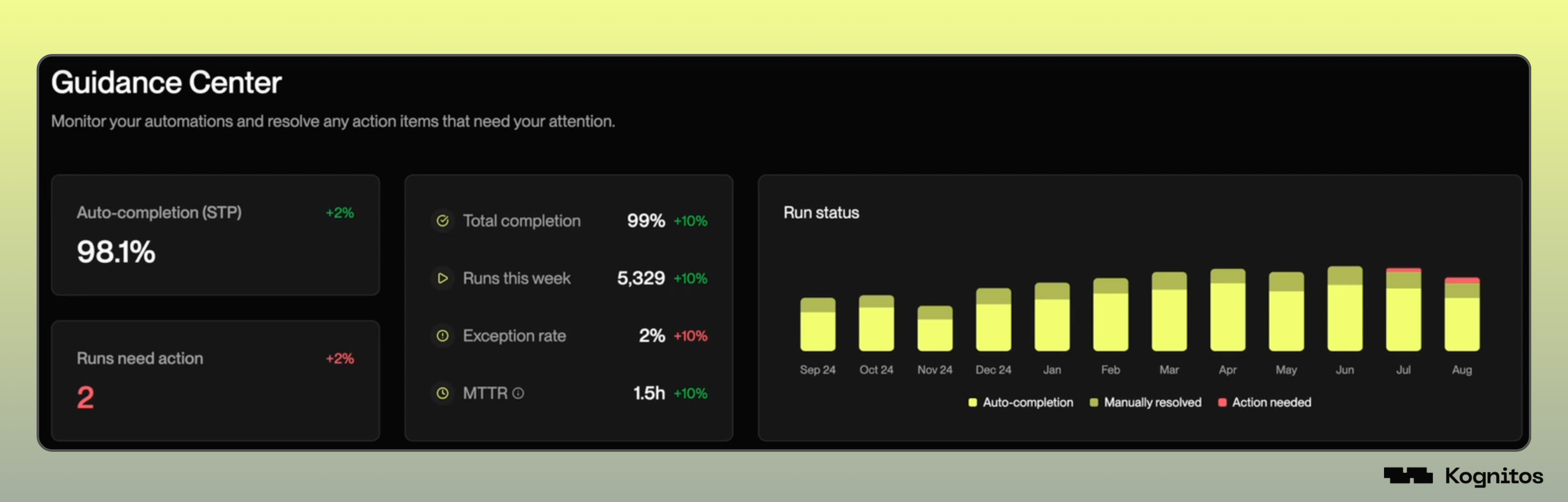
When you open the Guidance Center, you'll see a summary dashboard:

Metrics

The dashboard displays the following metrics to help you monitor automation health:

Metric
Description

Auto-completion (STP)

Percentage of runs that completed without manual intervention.

Runs Need Action

Number of runs currently paused and waiting for guidance.

Total Completion

Overall success rate across all automation runs.

Runs This Week

Number of automation runs in the current week.

Exception Rate

Percentage of runs that raised exceptions.

MTTR (Mean Time to Resolution)

Average time it takes to resolve exceptions.

Run Status

A visual chart that shows your automation performance over time, color-coded by resolution type:

  • Auto-completion: Runs completed without manual intervention.

  • Manually resolved: Runs that required your input to complete.

  • Action needed: Runs are currently waiting for your action.

Action Items

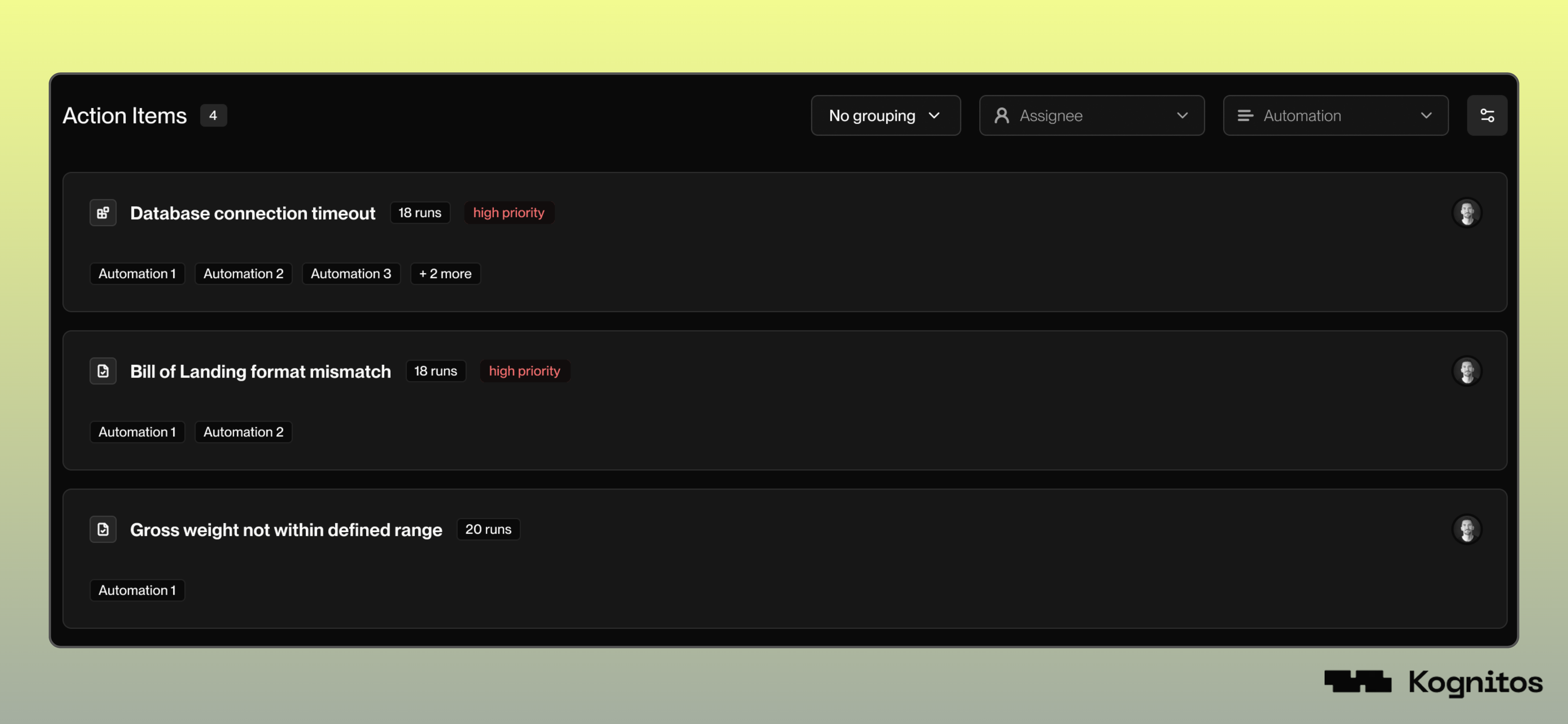
An action item is a task created when one or more runs are affected by the same exception. The Guidance Center groups these runs by exception type, allowing you to review and resolve the issues in bulk, rather than one run at a time.

Each action item shows:

  • Name: The name of the issue that occurred (Missing Values, User System Error, etc.)

  • Priority: The severity of the automation exception

  • Run count: How many runs is this exception affecting

  • Automations: A list of automations that raised the exception

Selecting an action item lets you view the affected runs, review details, and provide guidance in bulk. Click on Start review to review the impacted runs and provide guidance.

System Issues

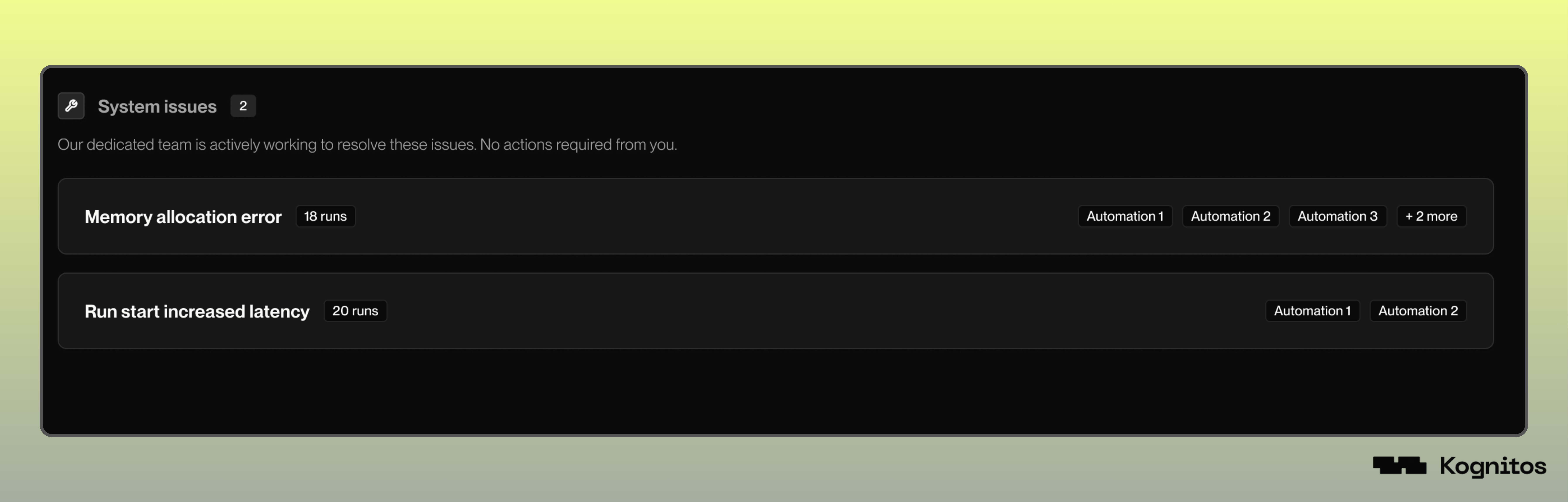
System Issues are internal platform errors that are being handled by the Kognitos engineering team.

circle-check

Last updated

Was this helpful?