> For the complete documentation index, see [llms.txt](https://docs.kognitos.com/llms.txt). Markdown versions of documentation pages are available by appending `.md` to page URLs; this page is available as [Markdown](https://docs.kognitos.com/legacy/legacy-experience/readme.md).
# Getting Started
Learn how to start your automation journey in Kognitos.
### Overview
Kognitos empowers you to write automations in plain English, turning natural-language instructions into executable workflows. This guide will walk you through core concepts, the development lifecycle, and the basics of writing an automation.
{% hint style="success" %}
Make sure you're all [set up](/legacy/legacy-experience/readme/account-setup.md) before jumping in!
{% endhint %}
### Core Concepts
Let’s kick things off with two important ideas: [**agents**](#agents) and [**automations**](#automations).
#### Agents
An **agent** is a dedicated execution environment. Each agent comes with its own skills and settings, enabling it to operate independently. Agents are created to handle specific business tasks and can contain one or more [**automations**](#automations) to complete them.
#### Automations
An **automation** is a set of instructions that tells Kognitos what to do — process data, work with documents, send emails, call other processes, and more. These are workflows that can take the form of an early idea *(playground)* or a complete process.
```mermaid
flowchart TB
subgraph AGENT[**Agent**]
direction TB
subgraph AUTOS[**Automations**]
direction TB
A1["Process a Document"]
A2["Billing Pipeline"]
A3["Customer Onboarding"]
end
end
%% Styling for automations
style A1 fill:#F2FB90,stroke:#333,stroke-width:1px,color:#000
style A2 fill:#F2FB90,stroke:#333,stroke-width:1px,color:#000
style A3 fill:#F2FB90,stroke:#333,stroke-width:1px,color:#000
%% Outer containers
style AUTOS fill:#f5f5f5,stroke:#666,stroke-width:1px,color:#000
style AGENT fill:#fafafa,stroke:#444,stroke-width:1.5px,color:#000
```
### Automation Lifecycle
Automations come in different forms as they evolve from early ideas into production-ready processes, following this **lifecycle**:
```mermaid
graph LR
A["**1. Playground** Explore and try new ideas."] --> B["**2. Draft Process** Validate the workflow."]
B --> C["**3. Published Process** Run reliably in production."]
style A fill:#F2FB90,stroke:#333,stroke-width:1px,color:#000
style B fill:#F2FB90,stroke:#333,stroke-width:1px,color:#000
style C fill:#F2FB90,stroke:#333,stroke-width:1px,color:#000
```
{% stepper %}
{% step %}
**Playground**
Every automation starts as a **playground**. These are initial automation workflows used to explore, create, and test new ideas.
{% endstep %}
{% step %}
**Draft Process**
Once a playground automation is working as intended, solidify it as a **draft process**. Drafts let you refine and test the workflow in a structured way before finalizing it for production.
{% endstep %}
{% step %}
**Published Process**
When your automation is finalized and production-ready, promote it to a **published process**. These workflows are reliable, secure, and fully ready to execute business tasks.
{% endstep %}
{% endstepper %}
### Start in the Playground
Start in **the Playground** — your initial workspace for writing and testing automations.
#### Create a New Playground
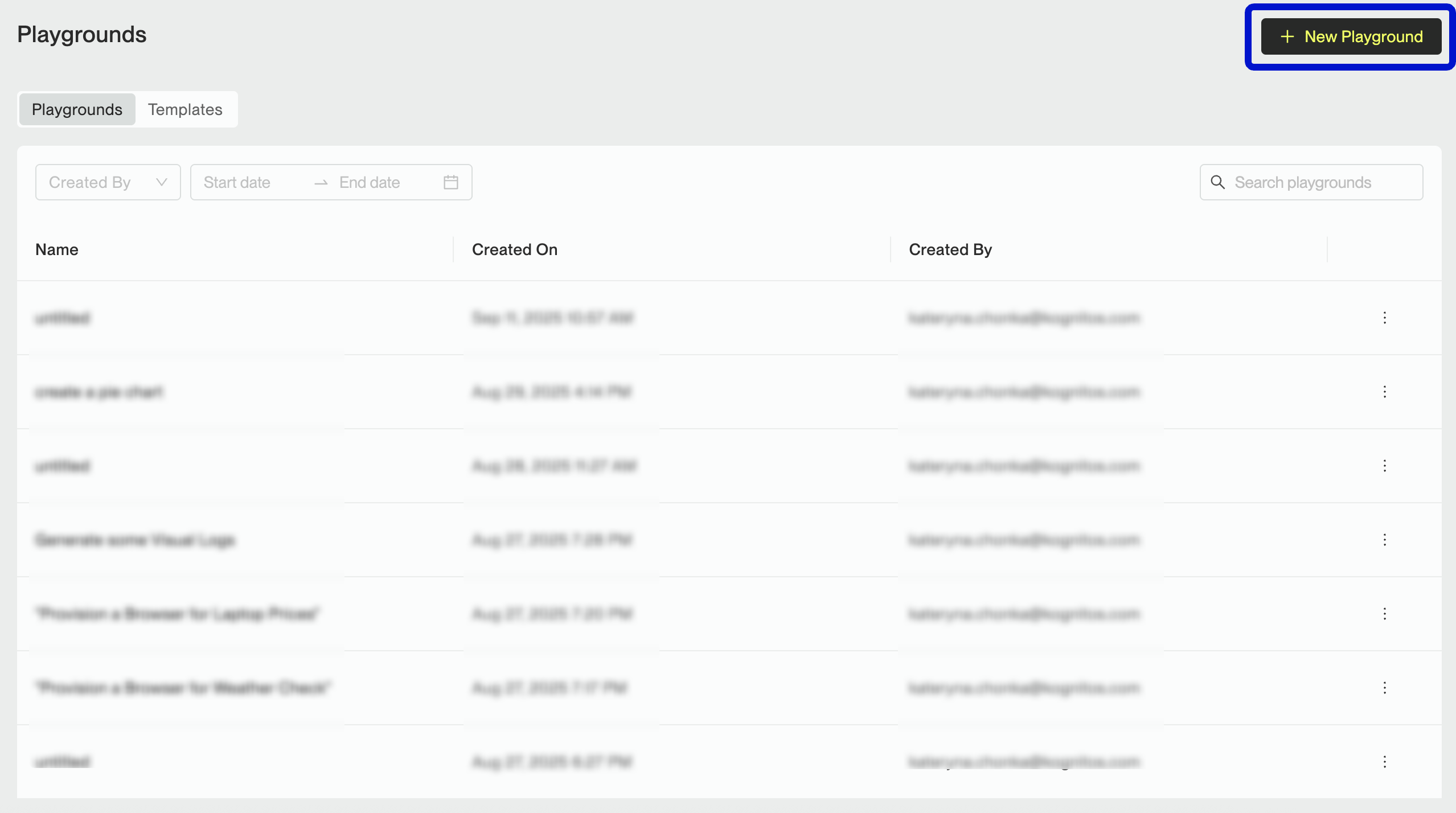
Create a new Playground by navigating to **Playground** , then click on **+ New Playground**.
#### Write Your Automation
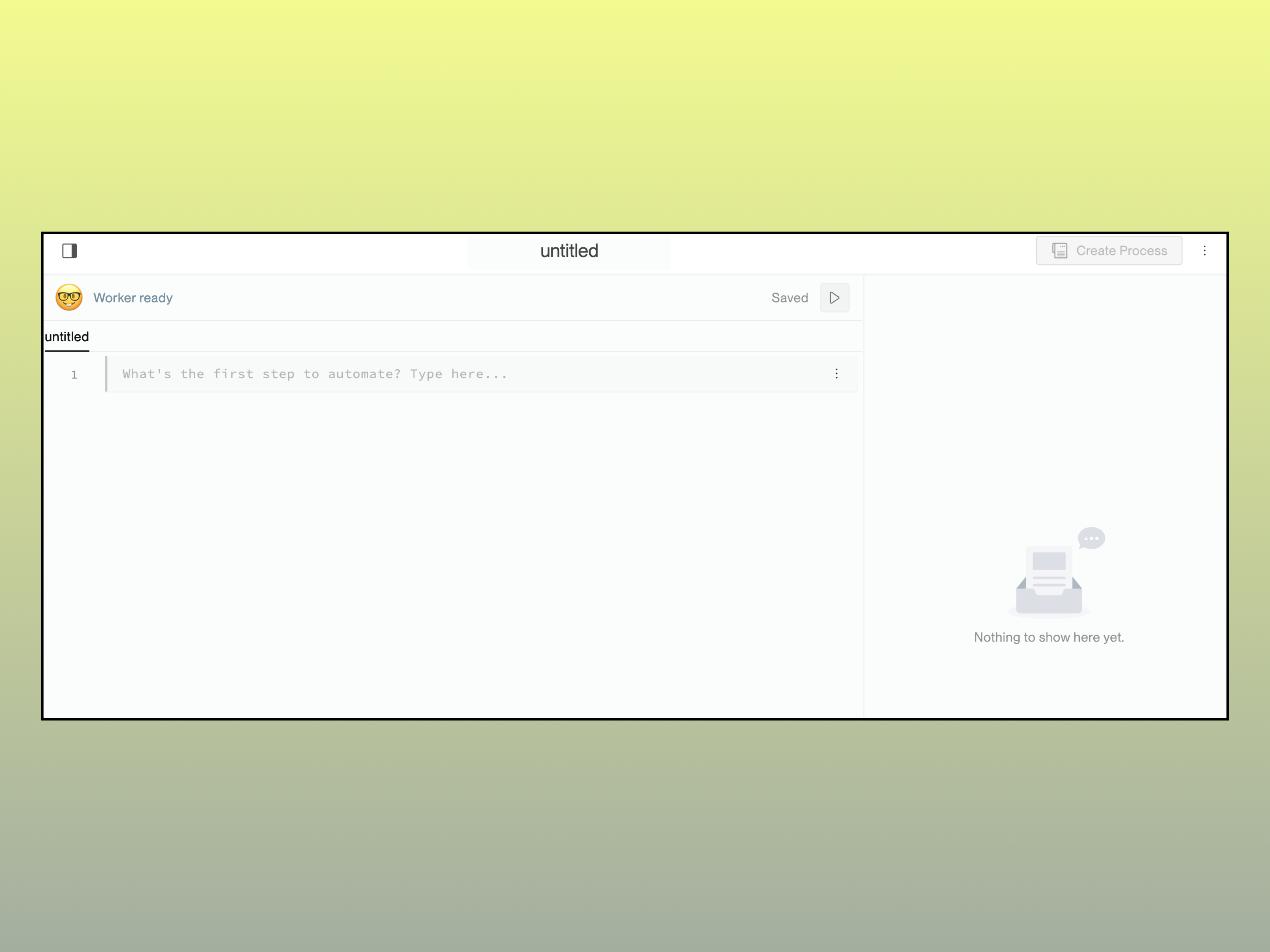
The input area of the editor is where you can define your automation workflow.
{% hint style="success" %}
Looking for [**Auto-Write**](#auto-write-hal)? Describe your intent in plain English and let auto-write draft the workflow for you.
{% endhint %}
### Writing Automations
Kognitos automations are written in English. They are composed of small, readable steps called **procedures**. By combining multiple procedures, you can form a complete automation workflow.
#### What is a Procedure?
A **procedure** is a single automation task. Each procedure describes a specific action and follows a defined grammatical syntax that Kognitos understands, such as `extract data`, `create a table`, or `send an email`. Procedures are the building blocks for Kognitos automations.
#### Building a Workflow
Combine procedures to create an end-to-end automation. For example, you might extract fields from a receipt, summarize them in a table, and then email the result:
```
upload a document where
the file is Uber-Receipt.pdf
extract data from the document where
the first field is "date"
the first field's format is "text"
the second field is "location"
the second field's format is "text"
the third field is "total"
the third field's format is "text"
create a table where
the column names are "Date", "Start Location", "Total Cost"
the row count is 1
insert a row in the table where
the Date is the data's date
the Start Location is the data's location
the Total Cost is the data's total
send an email where
the recipient is "user@kognitos.com"
the subject is "Rideshare Receipt Summary"
the message is the table
```
#### Auto-Write (HAL)
With Kognitos’ **Hyperautomation Lifecycle (HAL)**, you can describe what you want in plain English and let the platform **auto-write** the automation for you. No need to worry about syntax or structure; write naturally (e.g., “extract date and total from a receipt and email me a summary”).
HAL interprets your intent, selects the right actions, and produces a draft workflow that you can run or edit as needed, allowing you to move from idea to execution faster.
How to Enable HAL
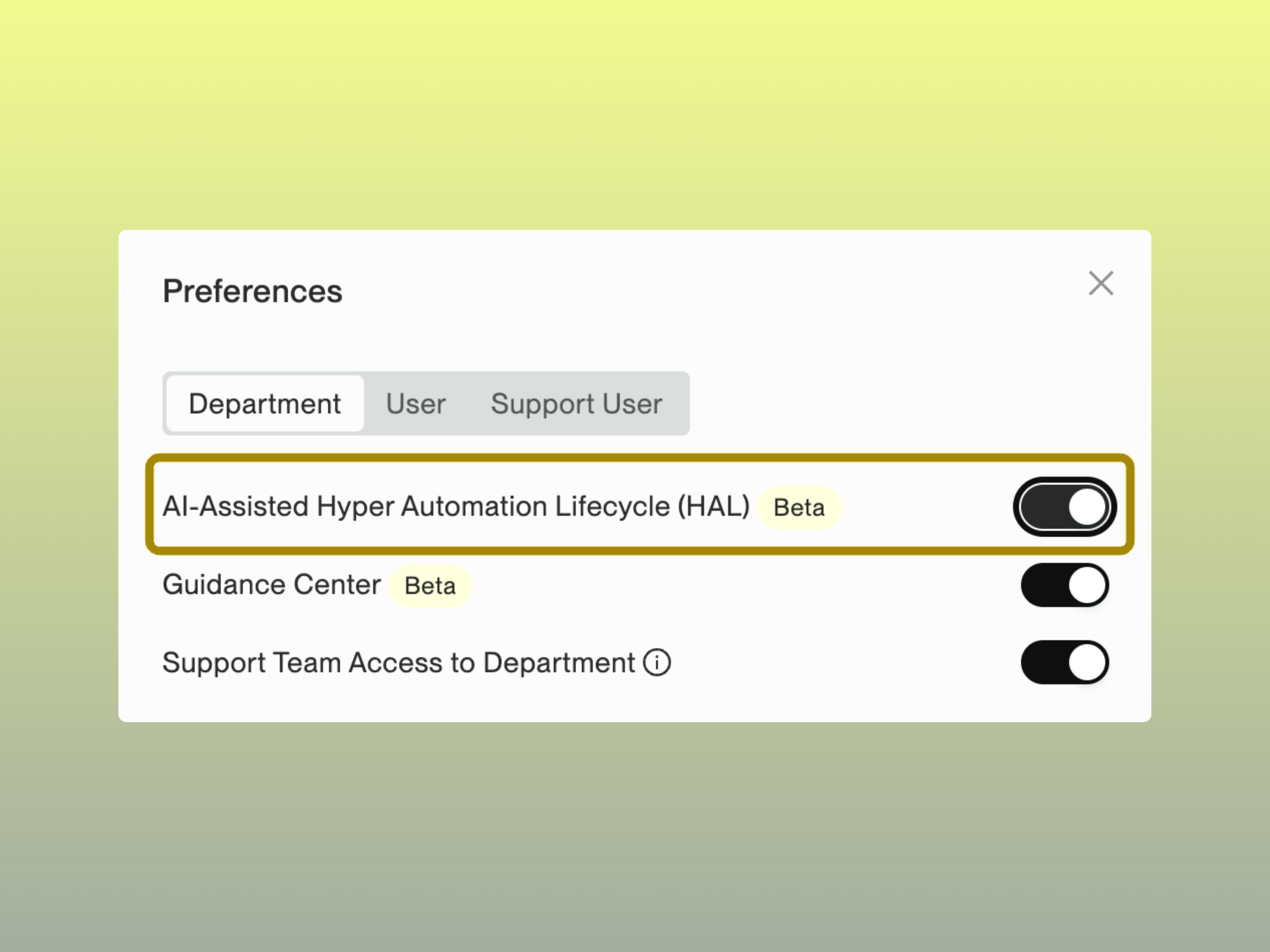
1. Navigate to **Settings > Preferences > Department**.
2. Find **AI-Assisted Hyperautomation Lifecycle (HAL)**.
3. Toggle the switch **on**.
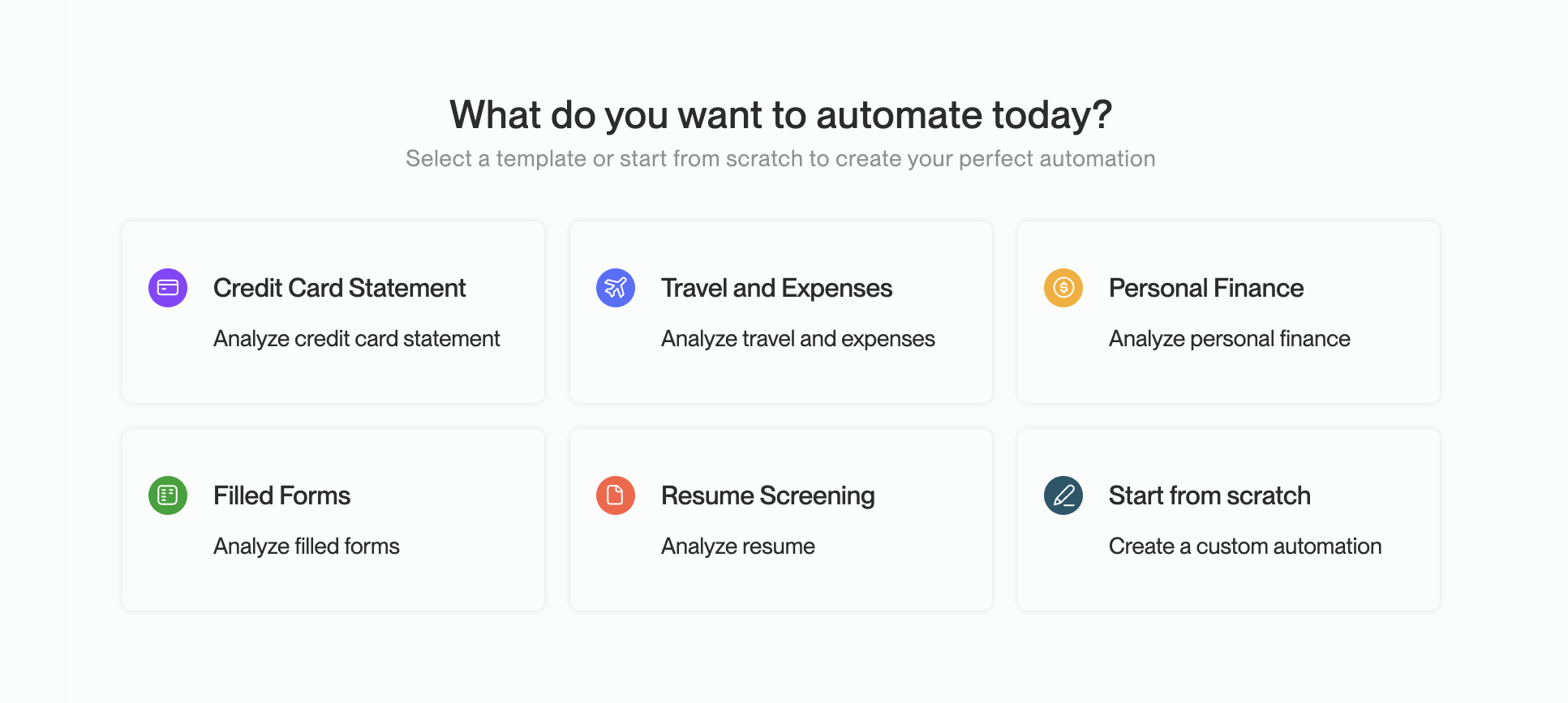
Once HAL is enabled, clicking on **+ New Playground** will open a menu, allowing you to select a **template** *or* **start from scratch**. Then describe your task in plain English, and **Auto-Write** will generate the automation for you.
#### Language & Logic
Beyond procedures, use [keywords](/legacy/legacy-experience/writing-automations/automation-basics/keywords.md), [comments](/legacy/legacy-experience/writing-automations/automation-basics/comments.md), [conditionals](/legacy/legacy-experience/writing-automations/automation-basics/conditionals.md), and other elements to write and structure automations in Kognitos. Learn more below:
{% hint style="info" %}
Check out [**Writing Automations**](/legacy/legacy-experience/writing-automations.md) for additional topics and [**Automation Areas**](/legacy/legacy-experience/automation-areas.md) to discover procedures by category.
{% endhint %}
### Books
A [**book**](/legacy/legacy-experience/books.md) is a set of related automation procedures *(actions)* that can extend an agent’s capabilities. Adding a book to an agent enables the agent to learn new skills and integrate with external tools. Kognitos offers many Books that can be added to your agents, which are built around either:
* **A specific domain** *(Document Processing, HTML)*
* **An integration** *(Microsoft Excel, Slack, Salesforce, etc.)*
Recommended — Start by Adding These Books📚
We recommend adding the following Books to your agent for common automation tasks:
1. **Document Processing**: enables data extraction, redaction of information, and more.
2. **Email:** allows you to send emails from Kognitos, extract attachments, etc.