# Widgets

## Menu

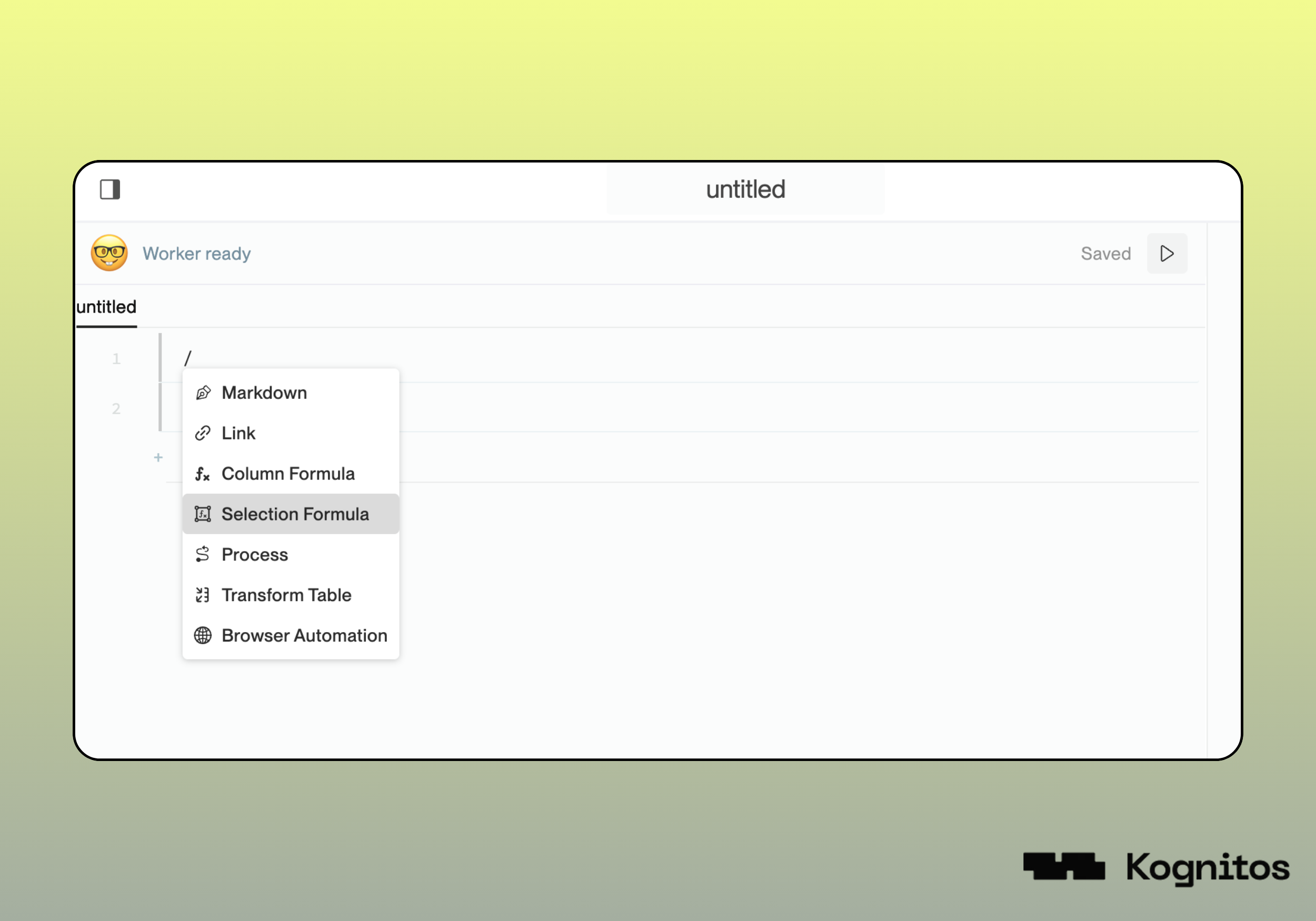
Access the **widget menu** by typing **`/`** when editing a playground or process automation. A dropdown will appear, allowing you to select from the available widgets.

{% hint style="warning" %}
Some widgets are not available in all agents by default. Please reach out to our support team for access and assistance.
{% endhint %}

<figure><img src="https://681267560-files.gitbook.io/~/files/v0/b/gitbook-x-prod.appspot.com/o/spaces%2FyXsMyN9vMn8AoQ4BYIwT%2Fuploads%2Fgit-blob-0f875358311cbe736373bd00c916dc9a365c821d%2Fwidget-menu.png?alt=media" alt=""><figcaption></figcaption></figure>

## Available Widgets

### 1. Markdown

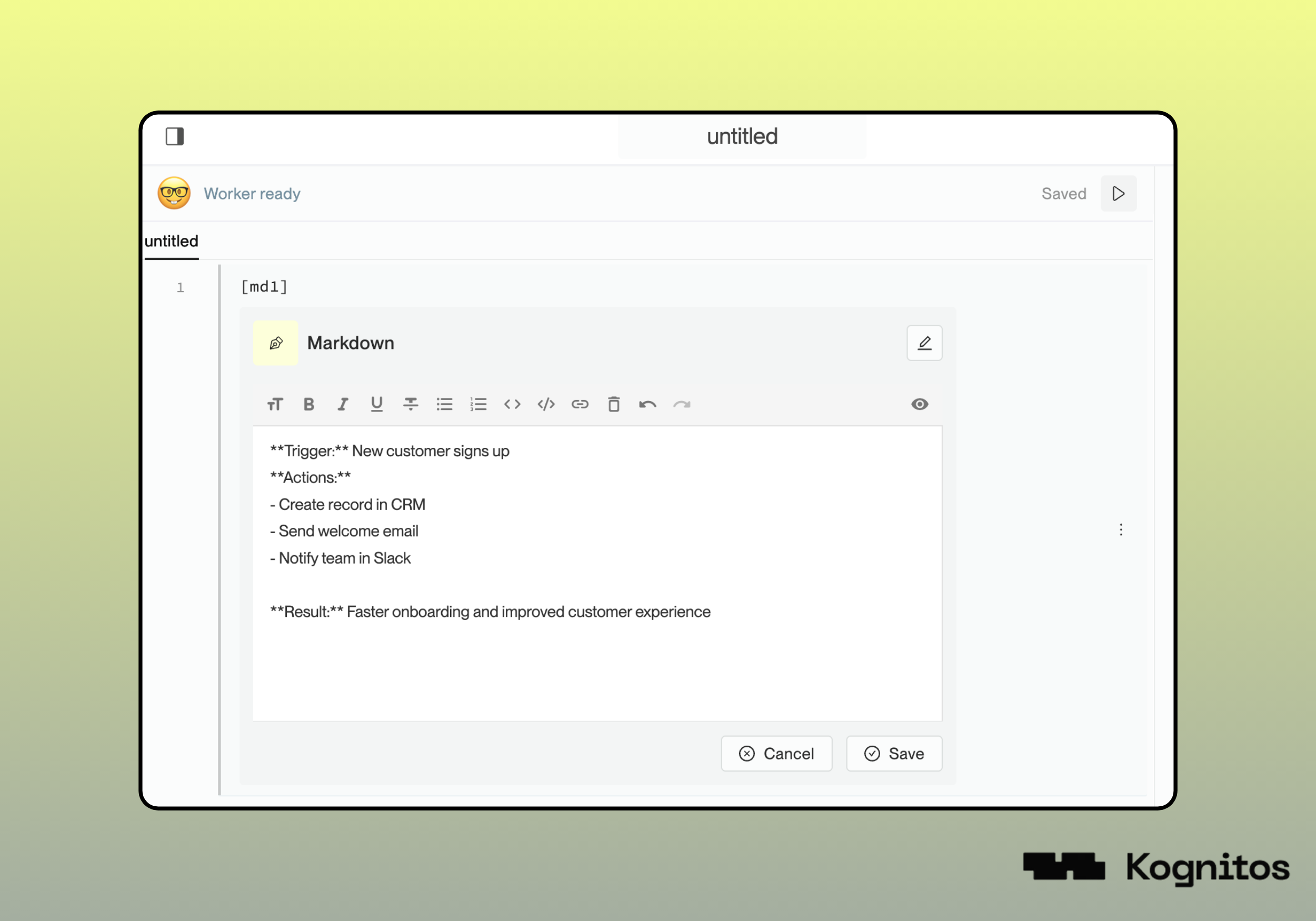
Insert **Markdown** content into your automation, including headings, bold/italic text, lists, etc.

<figure><img src="https://681267560-files.gitbook.io/~/files/v0/b/gitbook-x-prod.appspot.com/o/spaces%2FyXsMyN9vMn8AoQ4BYIwT%2Fuploads%2Fgit-blob-bcace78361a2682b113cc22f1b3455f03adbf4cf%2Fwidget-markdown.png?alt=media" alt=""><figcaption></figcaption></figure>

### 2. Link

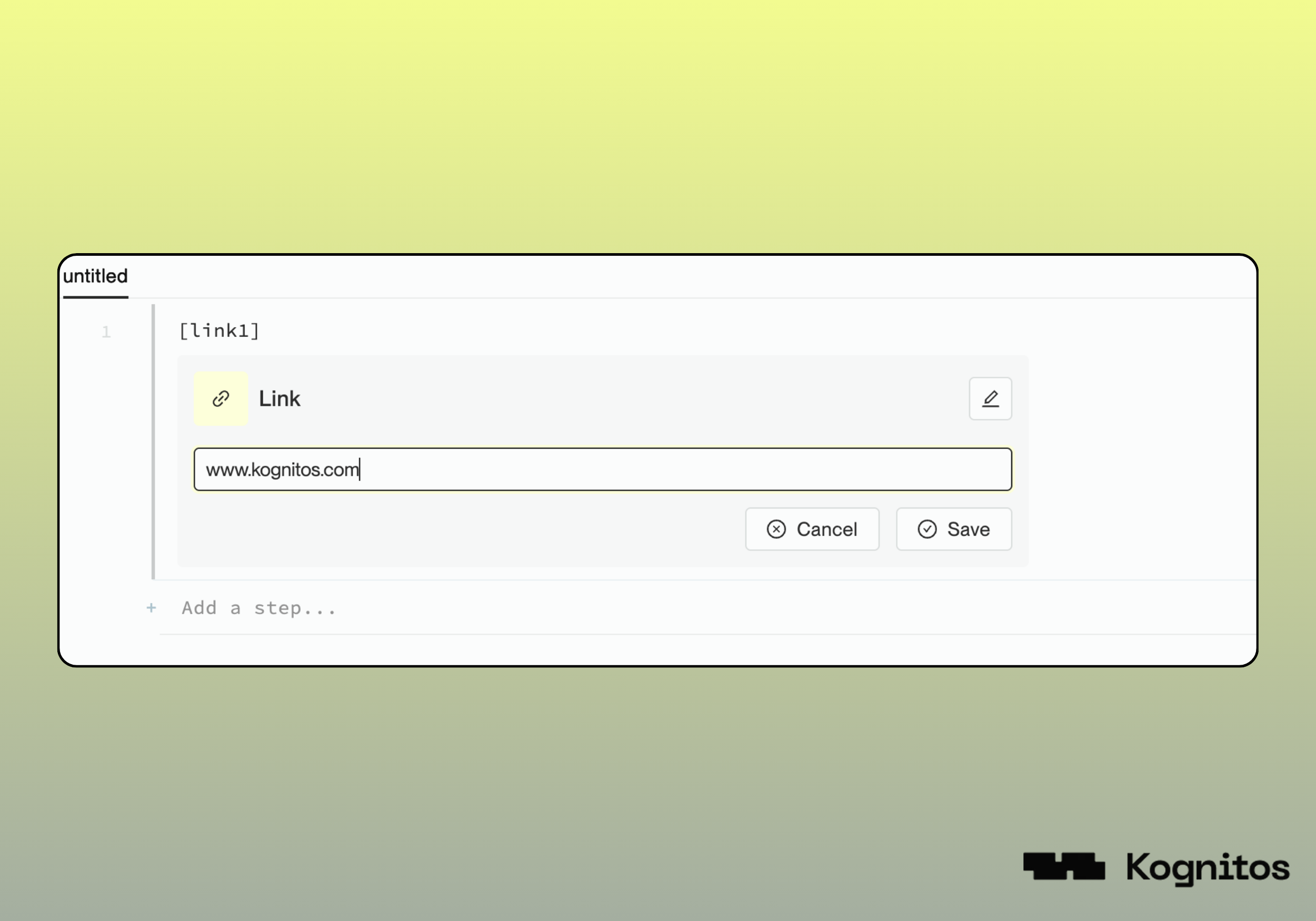
Add a **link** into your automation to embed references.

<figure><img src="https://681267560-files.gitbook.io/~/files/v0/b/gitbook-x-prod.appspot.com/o/spaces%2FyXsMyN9vMn8AoQ4BYIwT%2Fuploads%2Fgit-blob-d22a05a34701aa54436b2f2044f95816034b96a3%2Fwidget-link.png?alt=media" alt=""><figcaption></figcaption></figure>

### 3. Column Formula

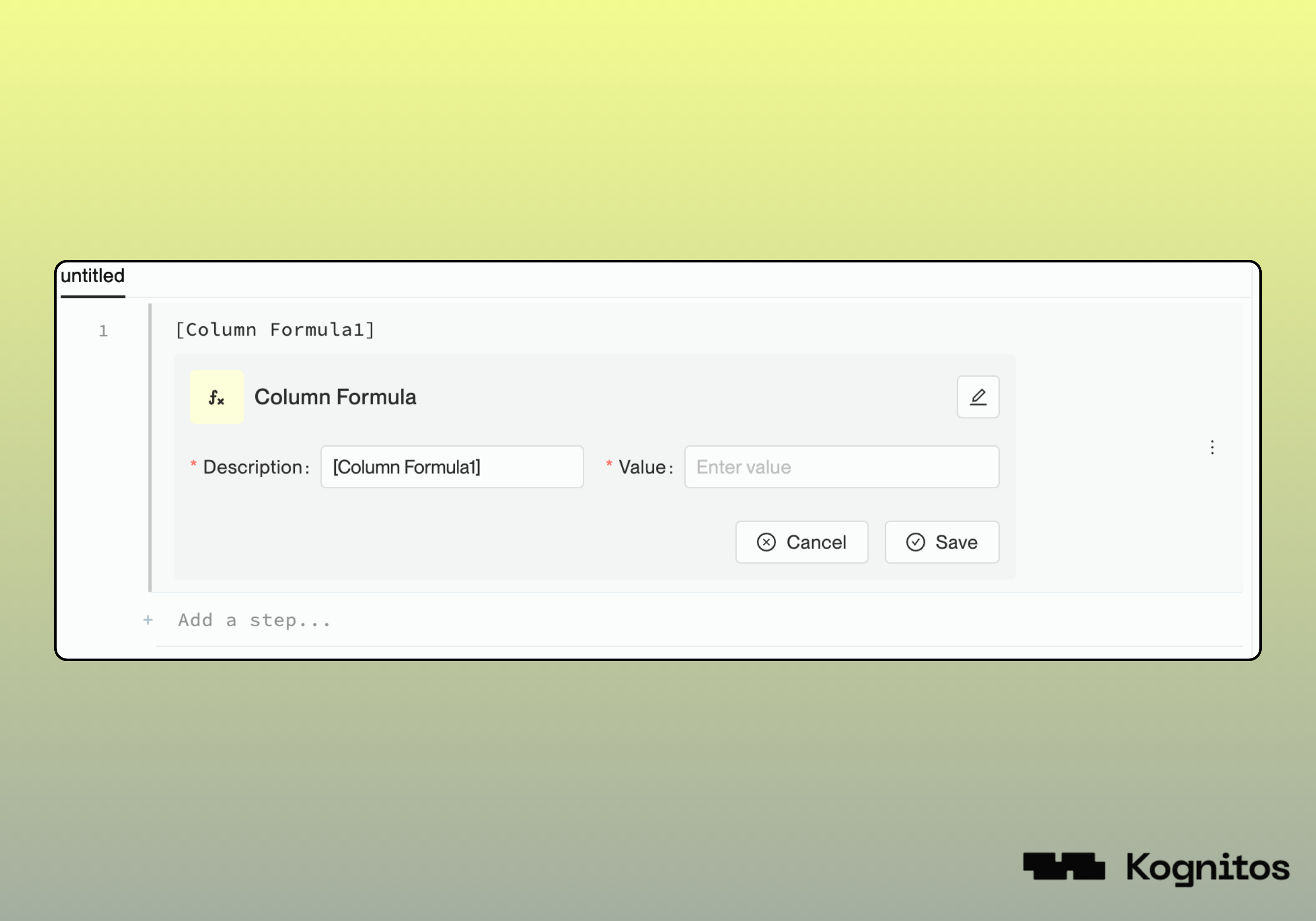
Add a **column formula**, used to dynamically populate and transform data in a table. When using this widget, provide a **Description** that explains what the formula does and enter the formula expression in the **Value** field.

<figure><img src="https://681267560-files.gitbook.io/~/files/v0/b/gitbook-x-prod.appspot.com/o/spaces%2FyXsMyN9vMn8AoQ4BYIwT%2Fuploads%2Fgit-blob-c2565c210bde014162dbe3161462ce27f8055f80%2Fwidget-column-formula.png?alt=media" alt=""><figcaption></figcaption></figure>

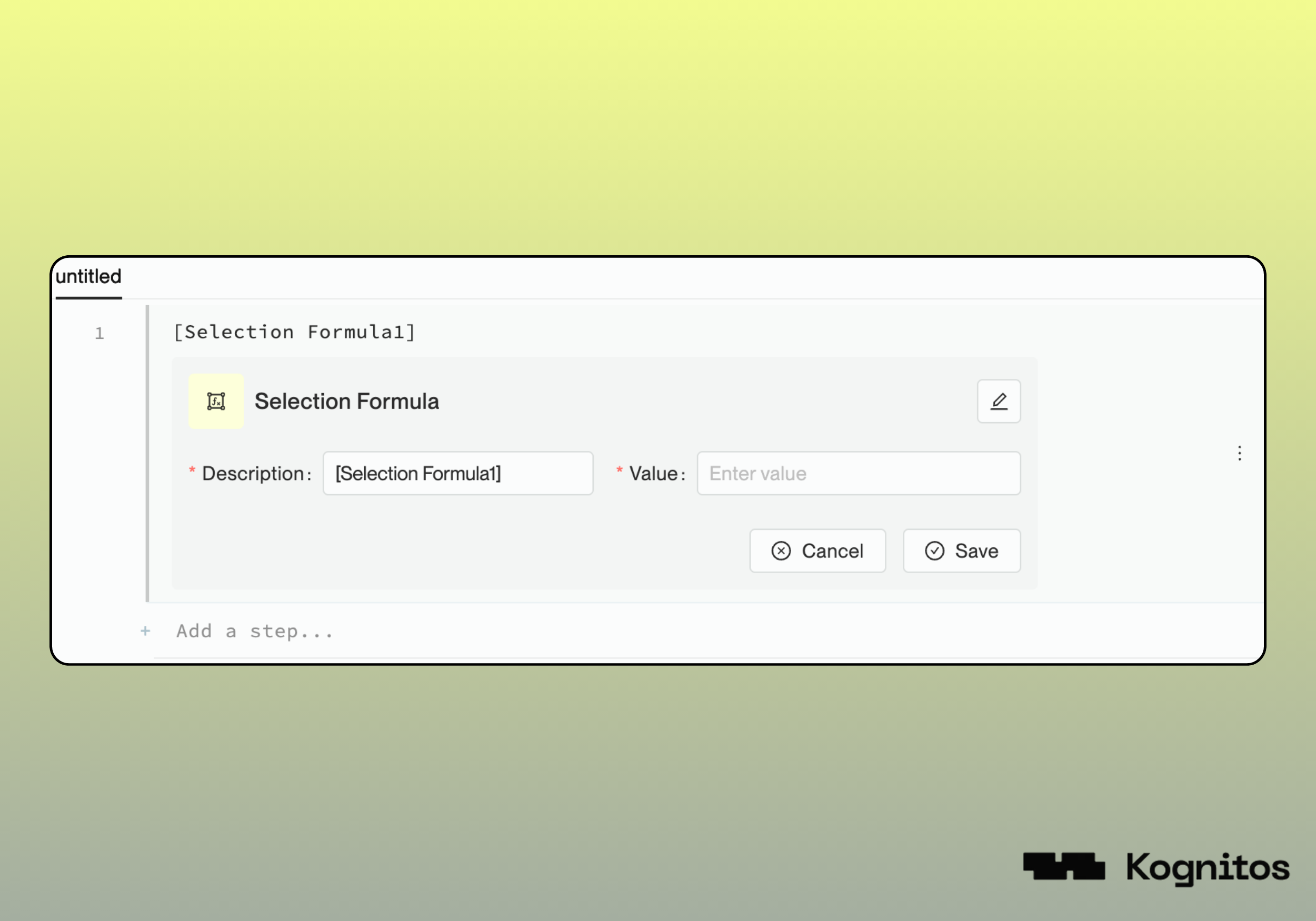
### 4. Selection Formula

A widget for **filtering data** based on certain conditions. When using this widget, provide a **Description** that explains what the formula does and enter the formula expression in the **Value** field.

<figure><img src="https://681267560-files.gitbook.io/~/files/v0/b/gitbook-x-prod.appspot.com/o/spaces%2FyXsMyN9vMn8AoQ4BYIwT%2Fuploads%2Fgit-blob-b393f1100bfbf89bdd77393697b5fb9d52910dc9%2Fwidget-selection-formula.png?alt=media" alt=""><figcaption></figcaption></figure>

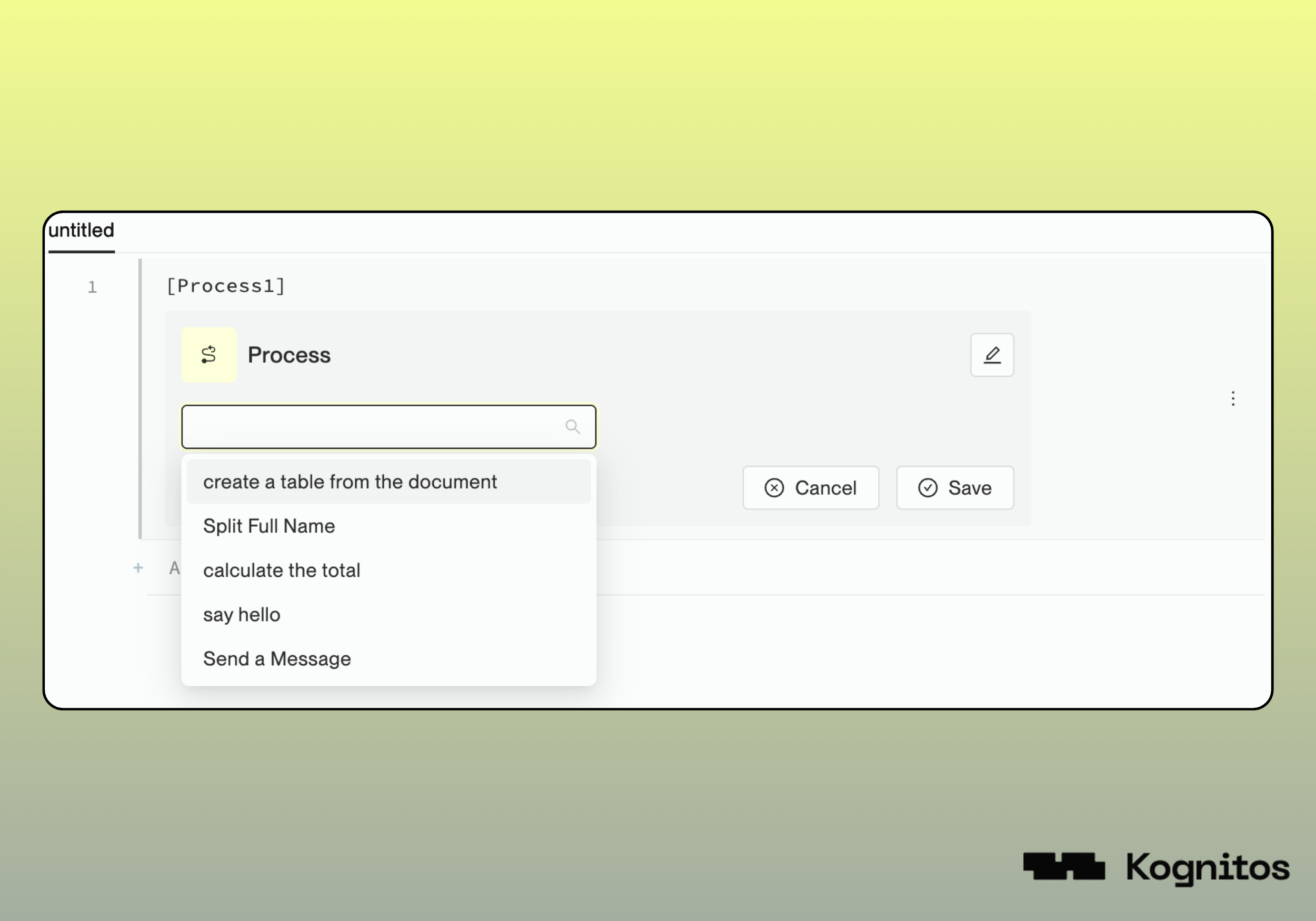
### 5. Process

Embed another **process** into your automation. This enables you to call other processes. Select the process to call from the process dropdown menu.

<figure><img src="https://681267560-files.gitbook.io/~/files/v0/b/gitbook-x-prod.appspot.com/o/spaces%2FyXsMyN9vMn8AoQ4BYIwT%2Fuploads%2Fgit-blob-f32da6623ecdc756c6924ba55783c221e170a4d5%2Fwidget-process.png?alt=media" alt=""><figcaption></figcaption></figure>

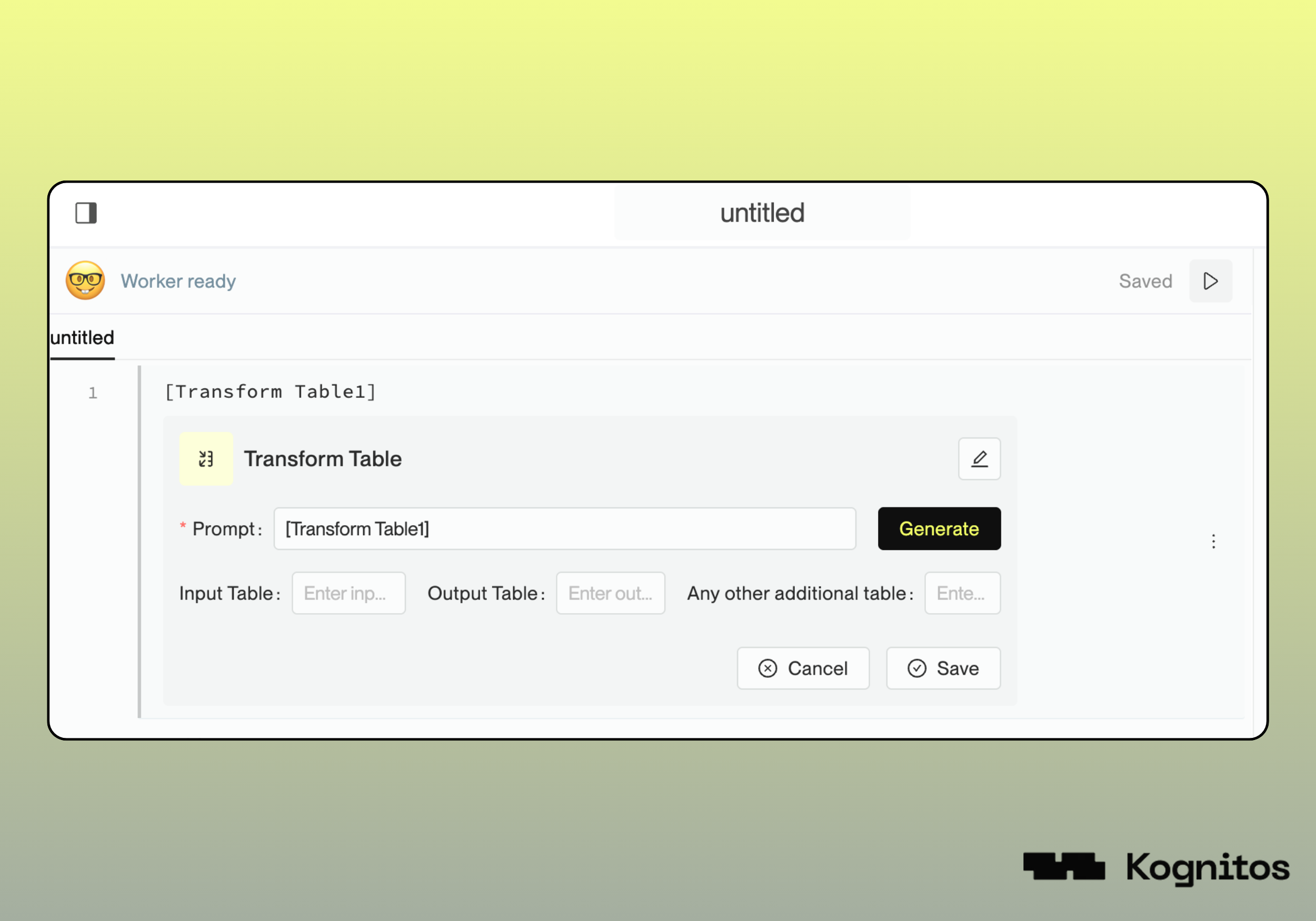
### 6. Transform Table

Apply a **transformation** to an existing table. This is useful when preparing data before applying further logic or formulas.

<figure><img src="https://681267560-files.gitbook.io/~/files/v0/b/gitbook-x-prod.appspot.com/o/spaces%2FyXsMyN9vMn8AoQ4BYIwT%2Fuploads%2Fgit-blob-7ec2dbc43328987260e1f80b18e7be1755a63abf%2Fwidget-table-transform.png?alt=media" alt=""><figcaption></figcaption></figure>

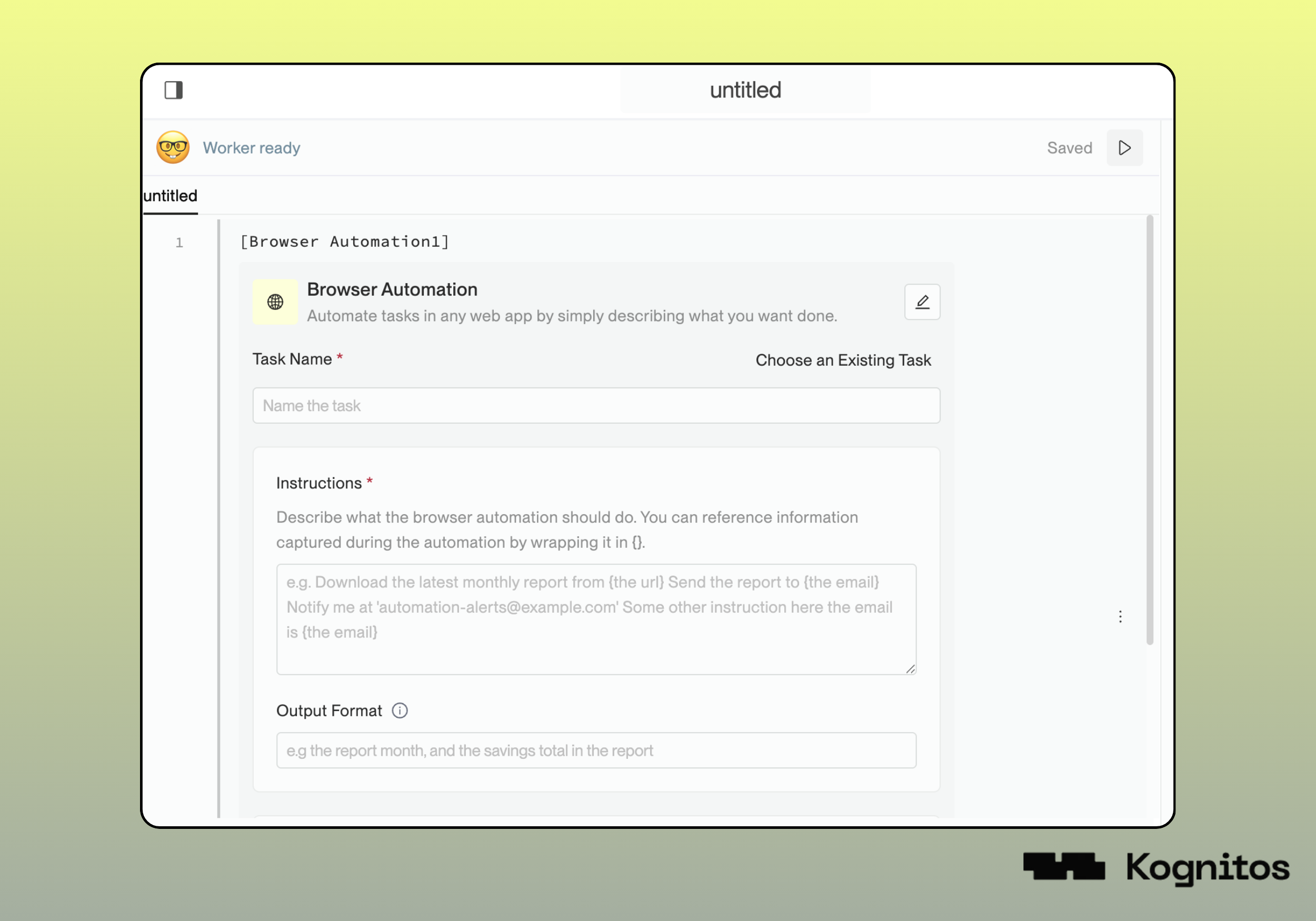
### 7. Browser Automation

This widget enables you to describe a **browser automation task** for a web-based agent to execute.

Select **Choose an Existing Task** or configure a new task by providing the following details:

<table data-header-hidden><thead><tr><th width="232.453125"></th><th></th></tr></thead><tbody><tr><td><strong>Task Name</strong></td><td>A short, descriptive name for the task (e.g., <em>Check Website for Updates</em>).</td></tr><tr><td><strong>Task Instructions</strong></td><td>Describe what you want the browser to do in plain English (e.g., <em>Go to example.com, log in, and check for new messages</em>).</td></tr><tr><td><strong>Output Format </strong><em><strong>(Optional)</strong></em></td><td>Define how you want the results formatted. It is recommended to use key-value pairs for clarity (e.g., {"key": "value"}). If specified, the agent will format the result accordingly.</td></tr><tr><td><strong>Credentials </strong><em><strong>(Optional)</strong></em></td><td>If your task requires access to a secure website or account, provide the necessary credentials <em>(e.g., username and password)</em>. You can select from existing connections in your agent or add a new connection.</td></tr></tbody></table>

{% hint style="info" %}
Check out the **Browser Use** book for additional details on browser automation and task configuration.
{% endhint %}

<figure><img src="https://681267560-files.gitbook.io/~/files/v0/b/gitbook-x-prod.appspot.com/o/spaces%2FyXsMyN9vMn8AoQ4BYIwT%2Fuploads%2Fgit-blob-485792306b32e3c5f4afd386feb43a4e3a531169%2Fwidget-browser-automation.png?alt=media" alt=""><figcaption></figcaption></figure>