> For the complete documentation index, see [llms.txt](https://docs.kognitos.com/llms.txt). Markdown versions of documentation pages are available by appending `.md` to page URLs; this page is available as [Markdown](https://docs.kognitos.com/legacy/legacy-experience/books/all-books.md).
# All Books
Learn how to navigate our book library.
### Overview
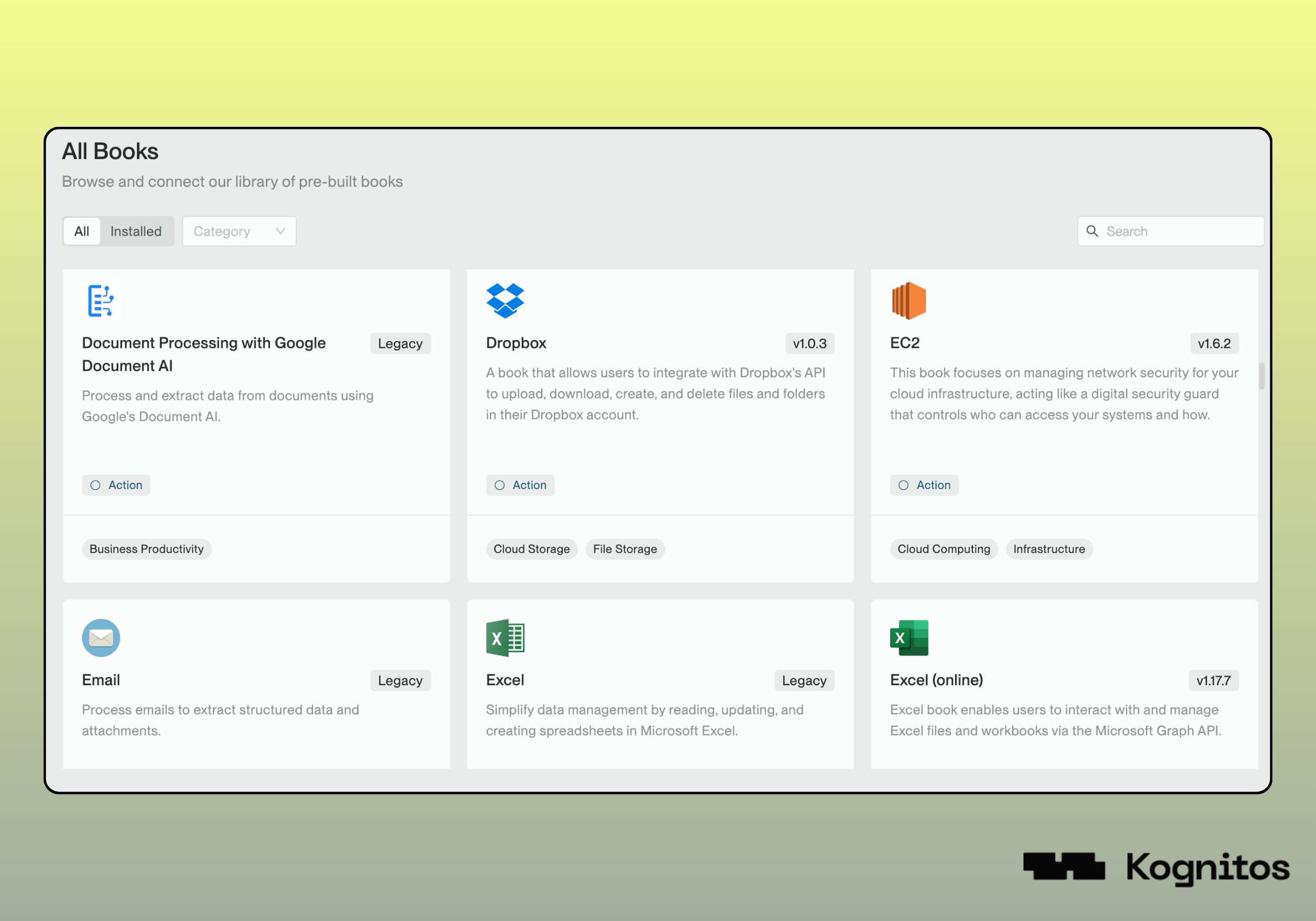
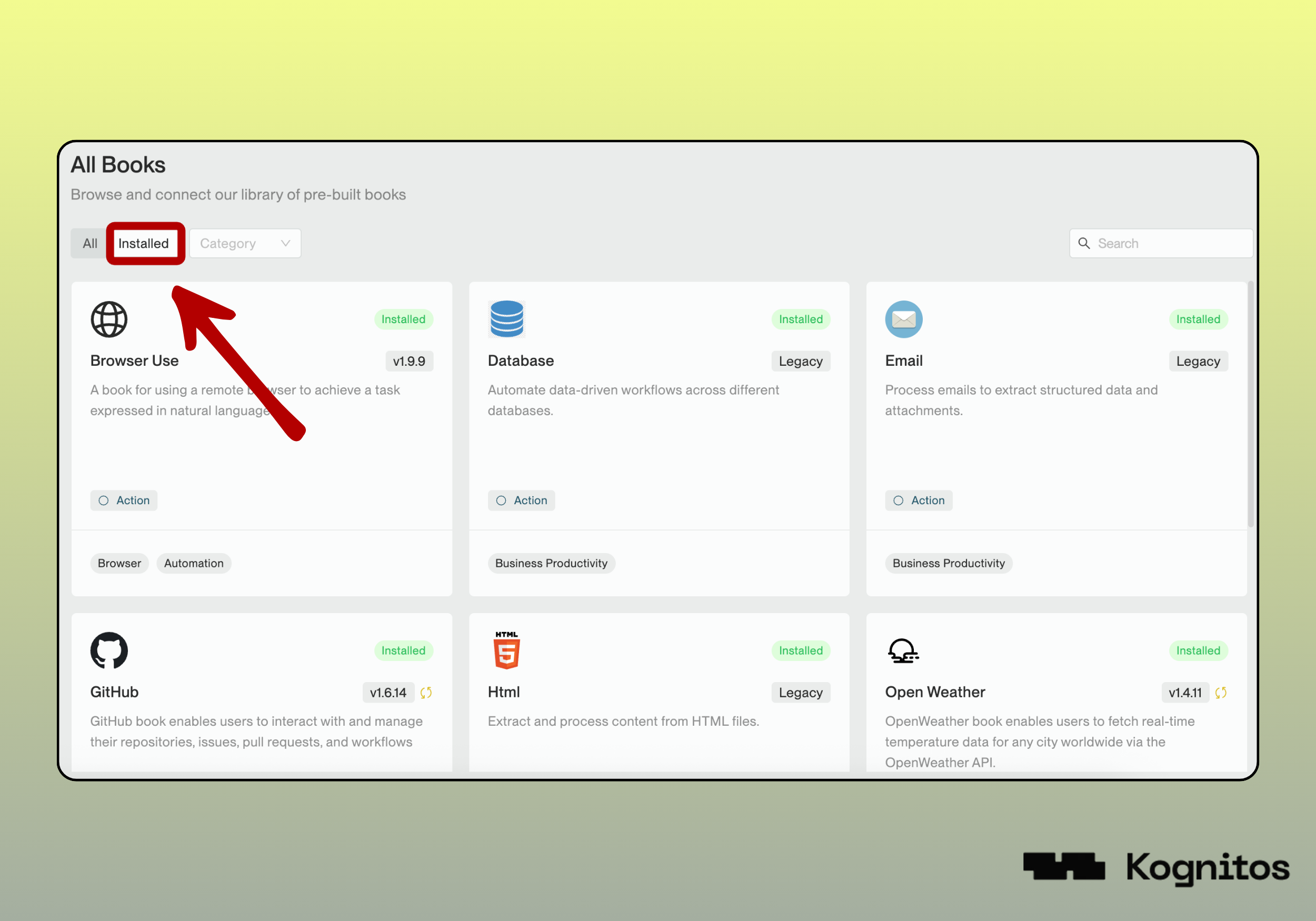
**All Books** provides a centralized view of all the [books](/legacy/legacy-experience/readme/core-concepts.md#book) built by Kognitos. From here, you can explore the library, filter by category, or search for a specific book to add to your agent.
### Navigation
To access the library, go to **Books → All Books**. Within this view, you can:
* **Browse** the full catalog alphabetically
* **Filter** by category *(Accounting, Business Productivity, Collaboration, etc.)*
* **Search** directly by book name
### Versions
Books are **versioned** to ensure stability and reliability. You can choose to upgrade at your own pace, gaining access to enhancements without risking disruptions to your workflows.
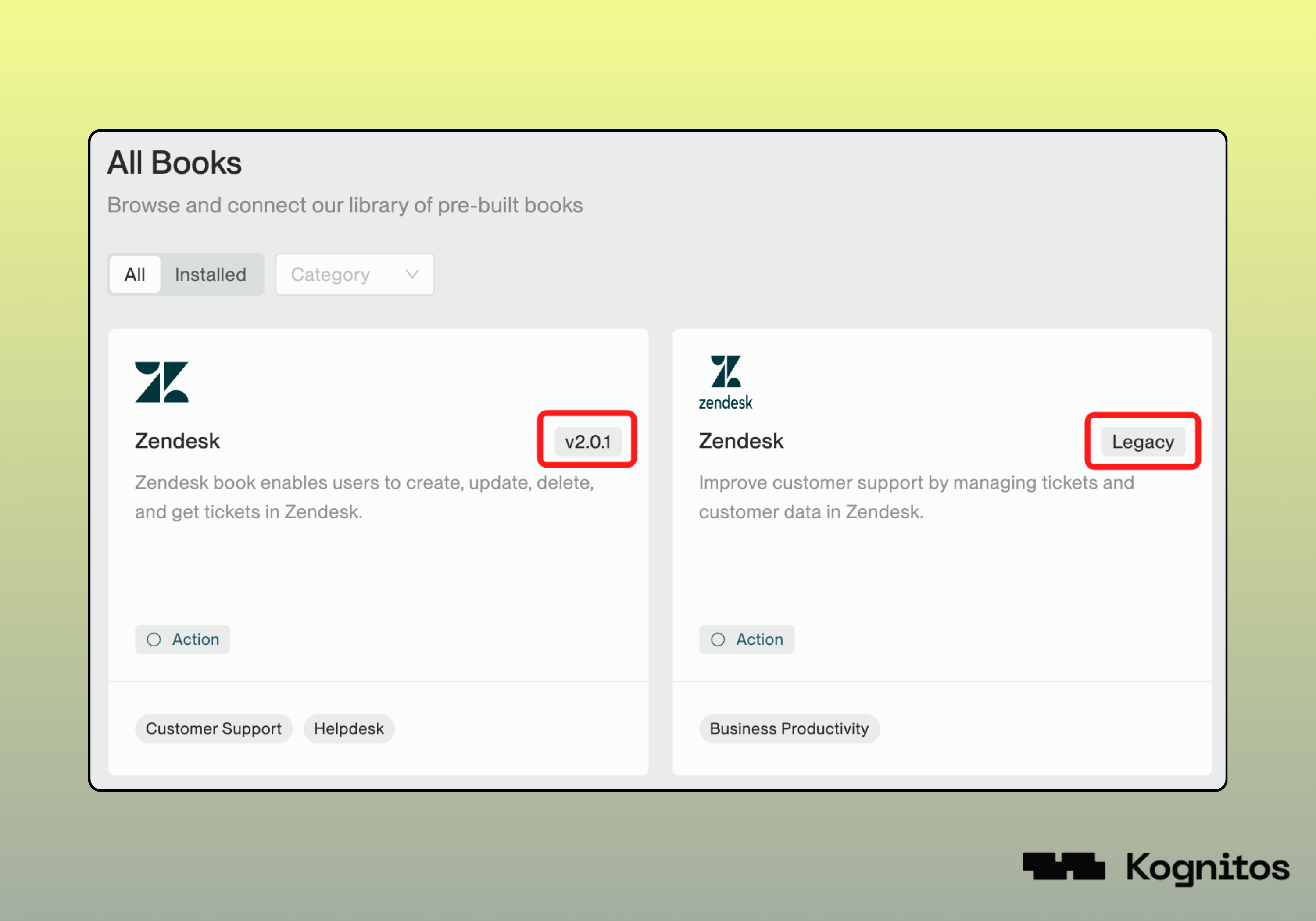
Our newest books are built with our Book Development Kit *(BDK).* **All Books** displays the latest version of BDK books, including their numeric version numbers *(e.g., 2.0.1)*.
Older books that are still actively maintained are labeled with a **Legacy** tag. In some cases, both the latest BDK version and the legacy version will be available for the same book.
{% hint style="success" %}
We always recommend using the **latest** version *(BDK)* for new automation workflows.
{% endhint %}
BDK and Legacy editions of the Zendesk book
### Book Details
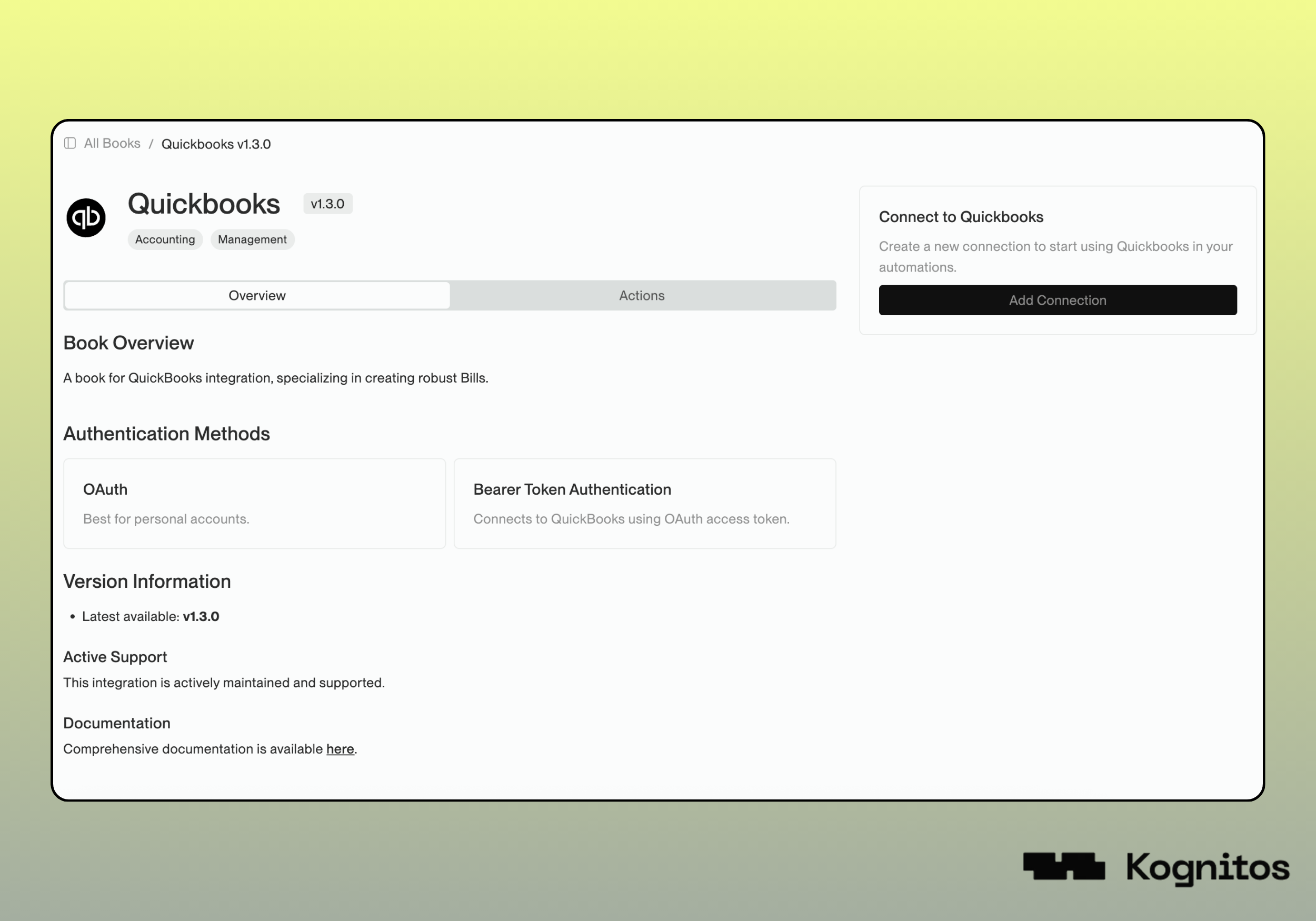
Click on any book to access comprehensive details about it. The **Overview** section includes information on authentication methods, versioning, and support status. Books built with our Book Development Kit *(BDK)* also feature an **Actions** tab that showcases all available procedures with usage examples.
{% hint style="warning" %}
Actions are currently only available for **BDK** books.
{% endhint %}
### Installation
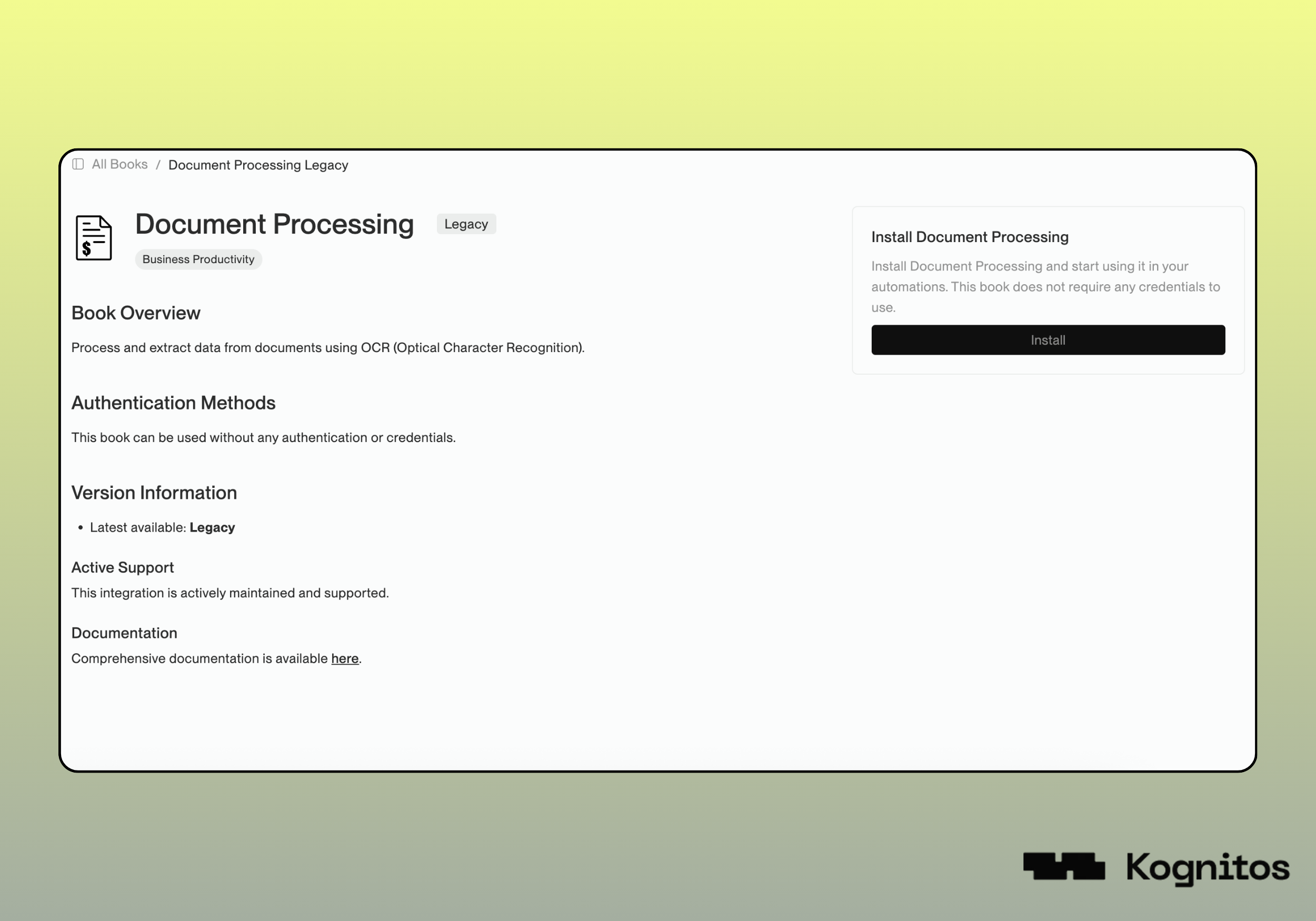
**Installing** or connecting a book enables the agent to understand and execute the automation procedures defined within the book. An **Install** option will appear on the [Book Details](#book-details) page *(for books that do not require authentication)*.
{% hint style="warning" %}
Books that require authentication are installed by setting up a [connection](/legacy/legacy-experience/books/connections.md).
{% endhint %}
Installing the Legacy Document Processing Book
The **Installed** tab within **All Books** shows the books you've installed or connected. This section allows you to view what you're already using in your agent.