# BYOM

### Overview

**Bring Your Own Model (BYOM)** provides a secure way to add, connect, and manage API credentials for your preferred Large Language Model (LLM) providers. By default, Kognitos uses **OpenAI** and **Gemini**, but BYOM allows you to configure alternative or custom providers at the agent level.

### Supported Providers

BYOM supports the following providers and models:

<table><thead><tr><th width="199.26171875">Provider</th><th>Supported Models</th></tr></thead><tbody><tr><td><strong>OpenAI</strong></td><td>GPT-4o, GPT-4o Mini, gpt-4o-realtime-preview, gpt-4.1-mini</td></tr><tr><td><strong>Google Gemini</strong></td><td>Gemini 2.5 Pro, Gemini 2.0 Flash, gemini-2.5-flash, gemini-2.5-flash-lite</td></tr><tr><td><strong>Google Vertex AI</strong></td><td>Gemini 2.5 Pro, Gemini 2.0 Flash, gemini-2.5-flash, gemini-2.5-flash-lite</td></tr><tr><td><strong>Anthropic Claude</strong></td><td>claude-opus-4, claude-sonnet-4.5, claude-haiku-4.5</td></tr><tr><td><strong>Custom</strong></td><td>Any custom LLM model <em>not</em> listed above</td></tr></tbody></table>

### Configuration

Follow these steps to configure an LLM provider in Kognitos:

{% hint style="warning" %}
**Note**: BYOM must be configured separately for each **agent**.
{% endhint %}

{% stepper %}
{% step %}
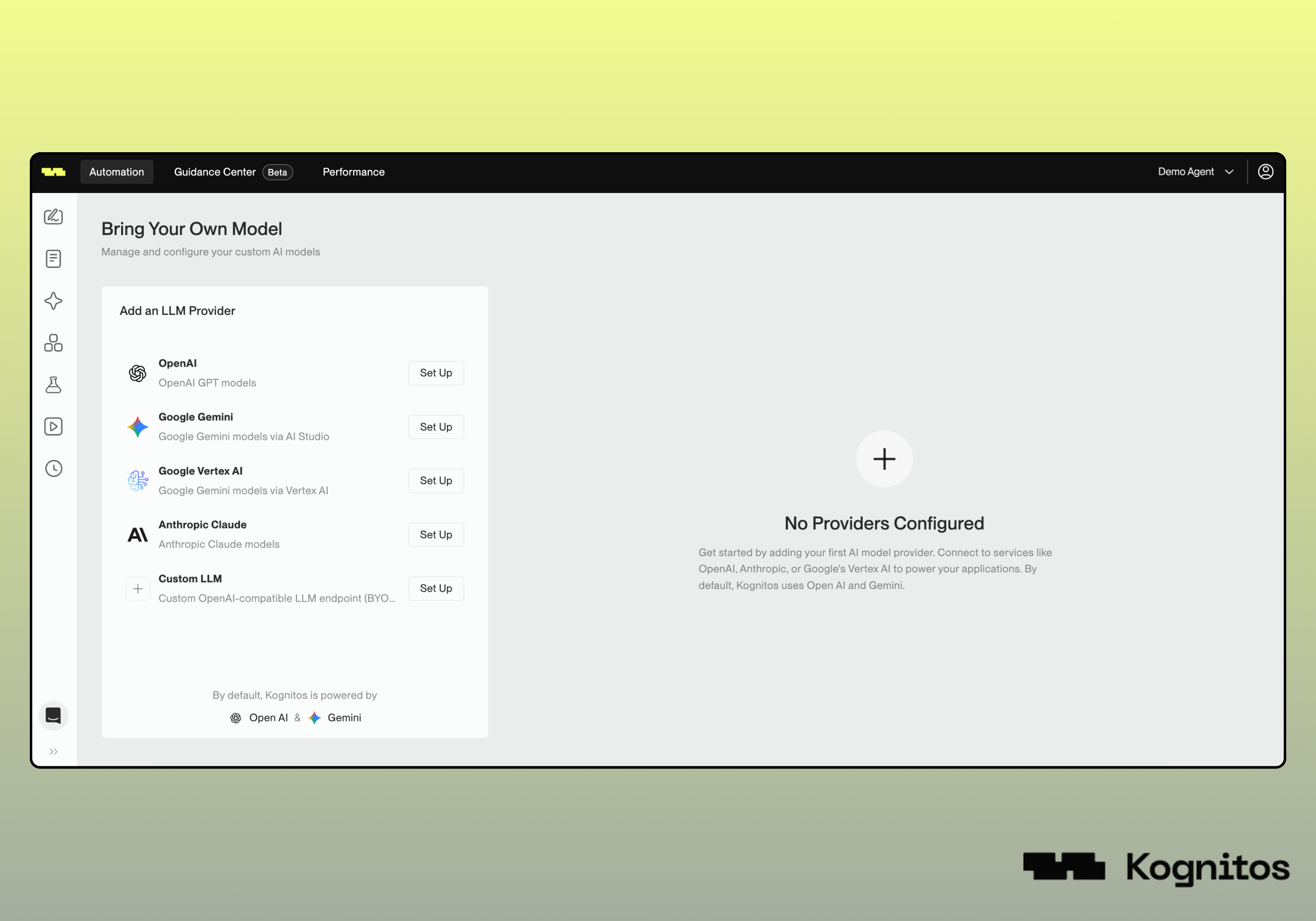
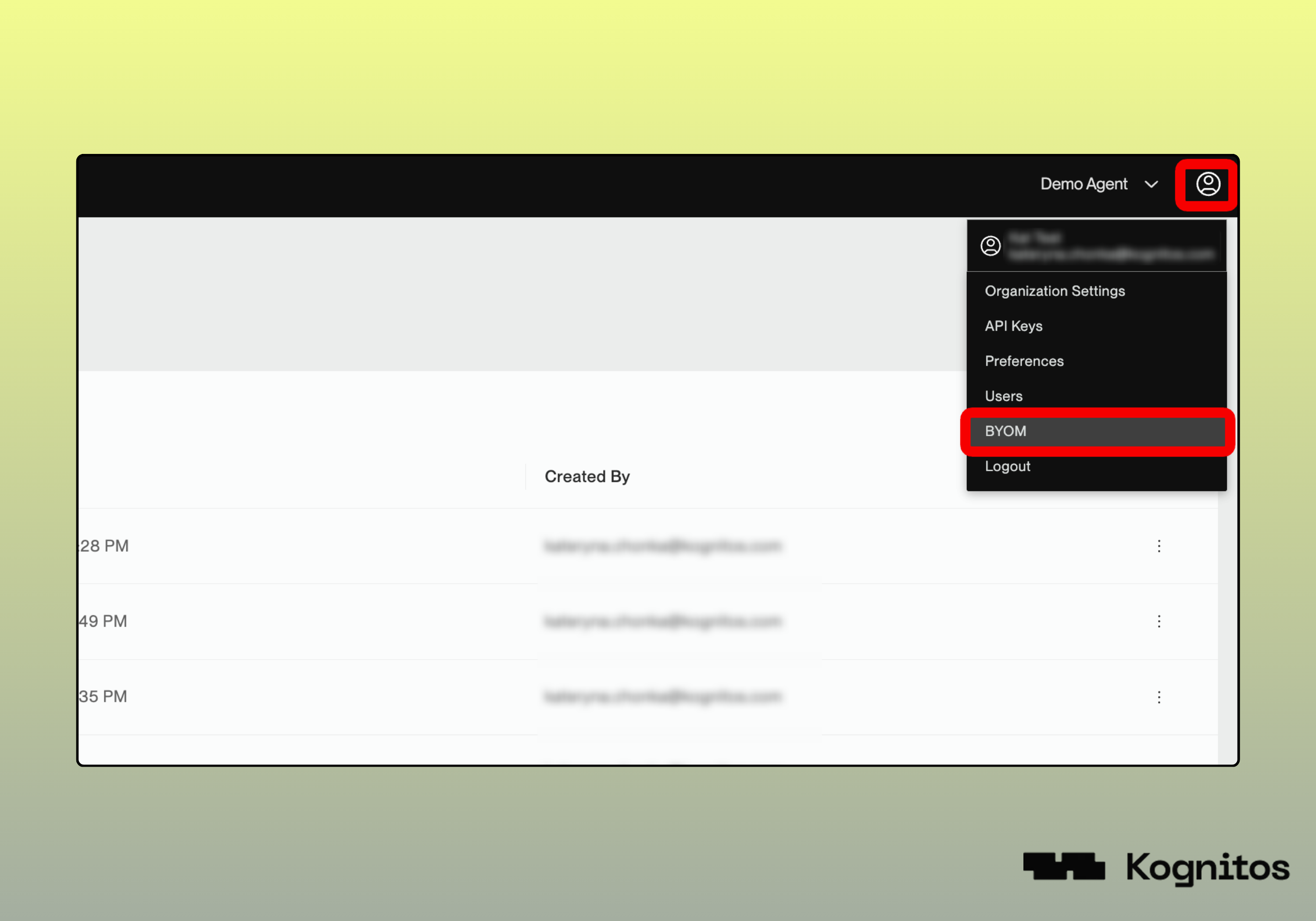
**Navigate to BYOM**

Click the **user icon** 👤 in the top right corner and select <kbd>**BYOM**</kbd> from the dropdown menu.

<figure><img src="/files/eQXKP53abOhuMRBTW6NN" alt=""><figcaption></figcaption></figure>
{% endstep %}

{% step %}
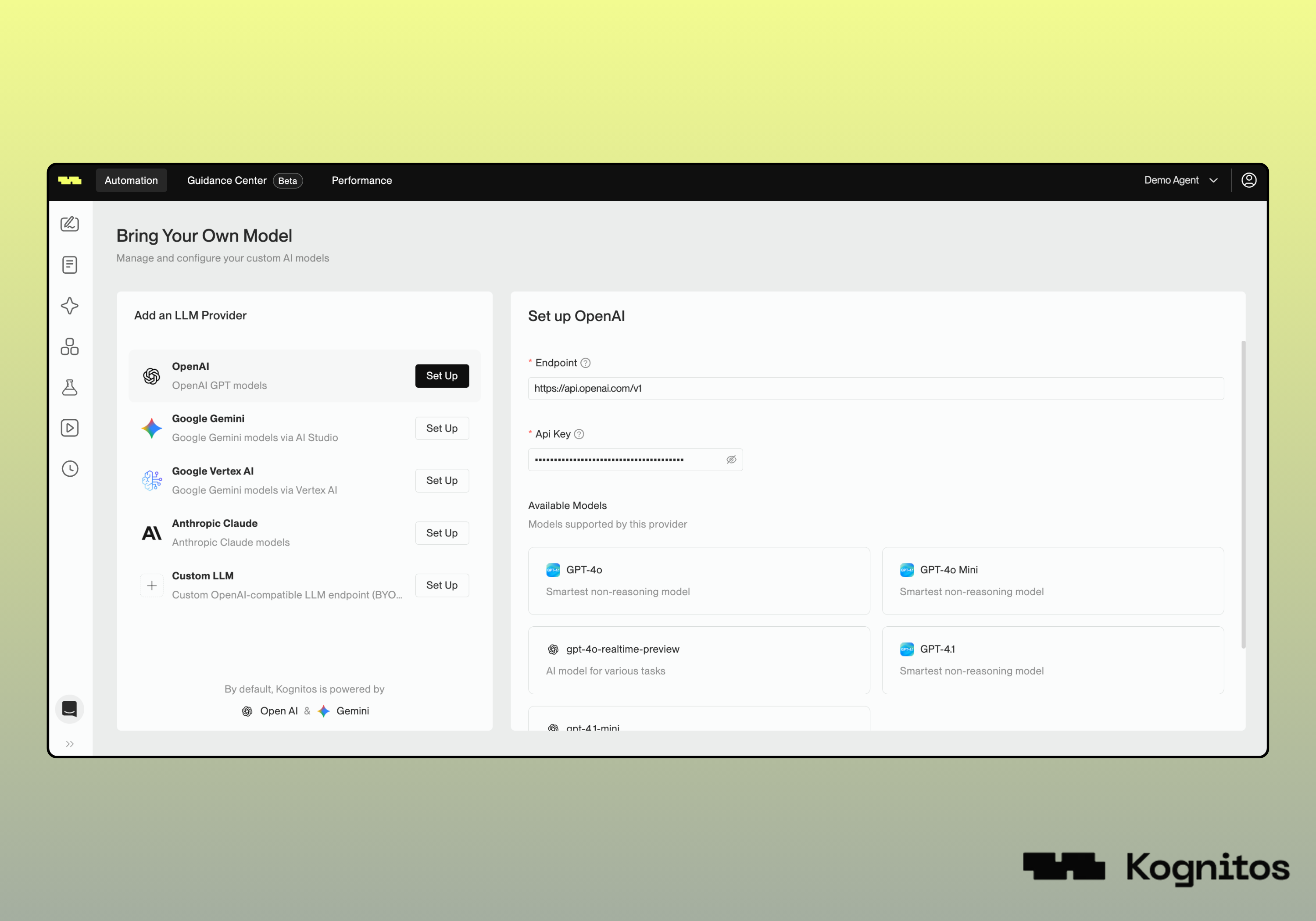
**Choose a Provider**

Under **Add an LLM provider**, click <kbd>**Set Up**</kbd> next to the provider you wish to configure *(e.g., OpenAI, Google Gemini, Anthropic Claude, Custom, etc.)*.

<figure><img src="/files/2sfM8vNA0ZvOFFuwu6SB" alt=""><figcaption></figcaption></figure>
{% endstep %}

{% step %}
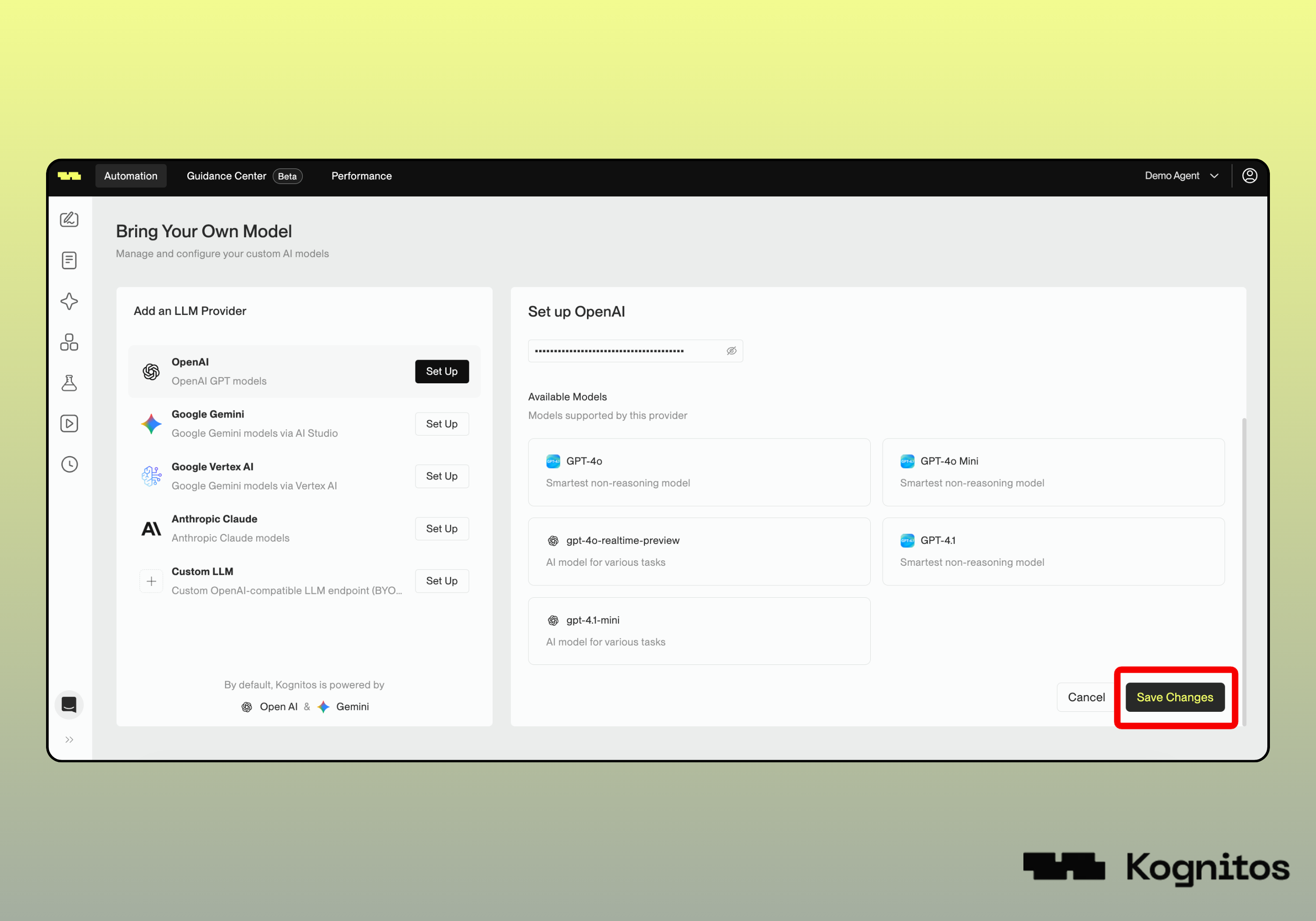
**Enter API Credentials**

Enter the required credentials for the selected provider *(e.g., API key, service account JSON, project ID, region)*. Required fields vary by provider.

<figure><img src="/files/UvUiL54JDbZbmxUAIVwR" alt=""><figcaption></figcaption></figure>
{% endstep %}

{% step %}
**Save Configuration**

Click <kbd>**Save Changes**</kbd> to apply your configuration.

<figure><img src="/files/6ZzsqV3frqT0F6F93qUZ" alt=""><figcaption></figcaption></figure>
{% endstep %}
{% endstepper %}

### Usage

After configuring models through BYOM, automations will use your stored credentials when executing [LLM procedures](/legacy/legacy-experience/automation-areas/llm.md).

#### Standard Providers

For standard providers like OpenAI, Google Gemini, or Anthropic, reference the model directly in your automation. The example below uses the [extract data](/legacy/legacy-experience/automation-areas/llm/automation-procedures/extract-data.md) procedure with an OpenAI model:

```
extract data from the document
    the dpi is 144
    the openai model is "gpt-4.1-mini"
    the first field is "po number"
    the first field's format is "string"
    the first field's rule is "the po number has 10 characters"
```

#### Custom Providers

For custom models, specify the **provider ID**, indented within the LLM procedure:

```
the model provider is "provider-id"
```

For example:

```
extract data from the document
    the model provider is "custom-custom-llm-1764100945699-r6jisd"
    the first field is "invoice number"
    the first field's format is "string"
```

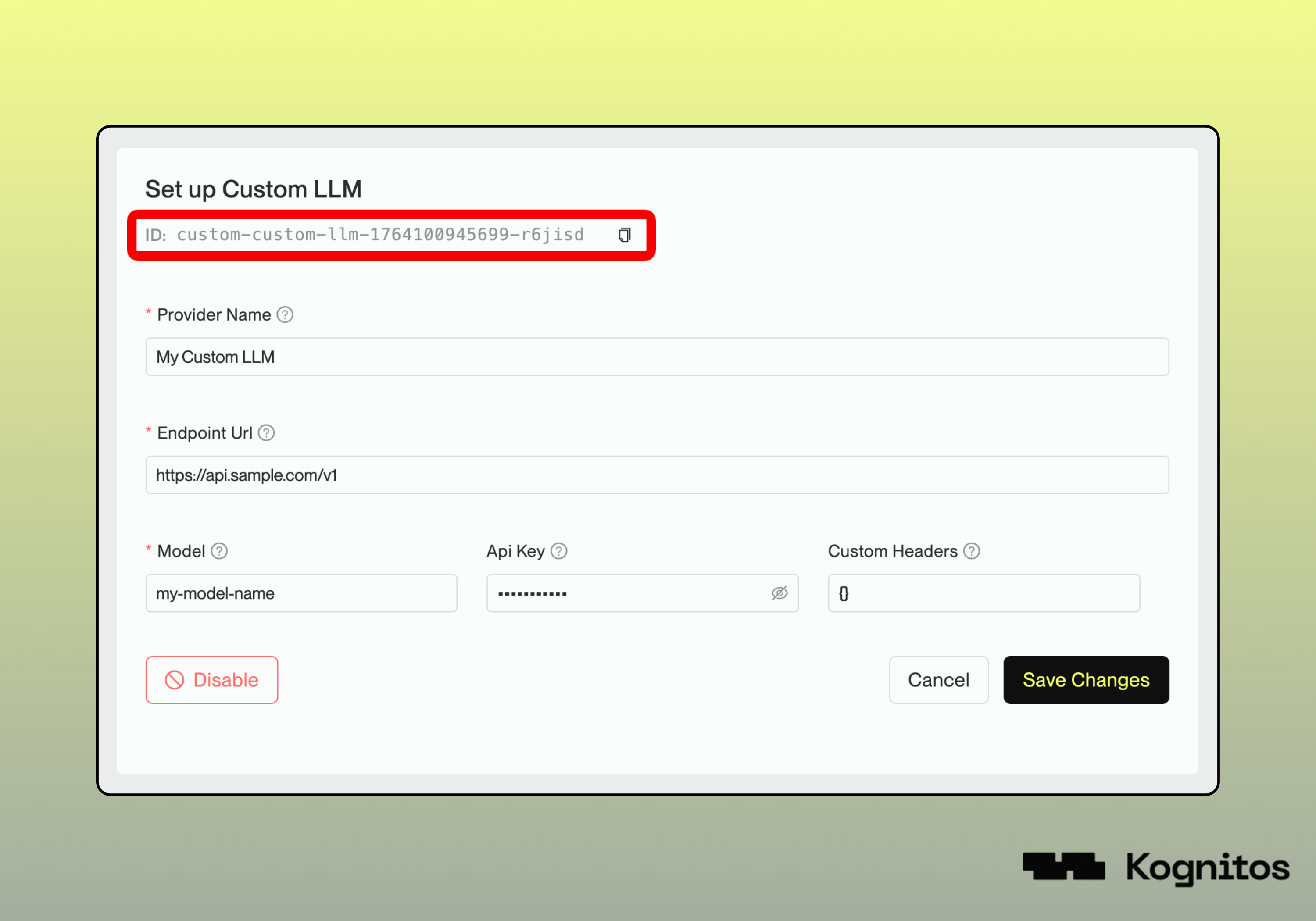
Retrieve the ID from the BYOM interface after saving a custom LLM configuration:

<figure><img src="/files/3daNCSpzdzc9VAeDcQsv" alt=""><figcaption></figcaption></figure>


---

# Agent Instructions: Querying This Documentation

If you need additional information that is not directly available in this page, you can query the documentation dynamically by asking a question.

Perform an HTTP GET request on the current page URL with the `ask` query parameter:

```
GET https://docs.kognitos.com/legacy/legacy-experience/automation-management/byom.md?ask=<question>
```

The question should be specific, self-contained, and written in natural language.
The response will contain a direct answer to the question and relevant excerpts and sources from the documentation.

Use this mechanism when the answer is not explicitly present in the current page, you need clarification or additional context, or you want to retrieve related documentation sections.