> For the complete documentation index, see [llms.txt](https://docs.kognitos.com/llms.txt). Markdown versions of documentation pages are available by appending `.md` to page URLs; this page is available as [Markdown](https://docs.kognitos.com/guides/administration/performance-dashboard.md).
# Performance Dashboard
Track automation ROI, usage trends, and completion rates across your organization.
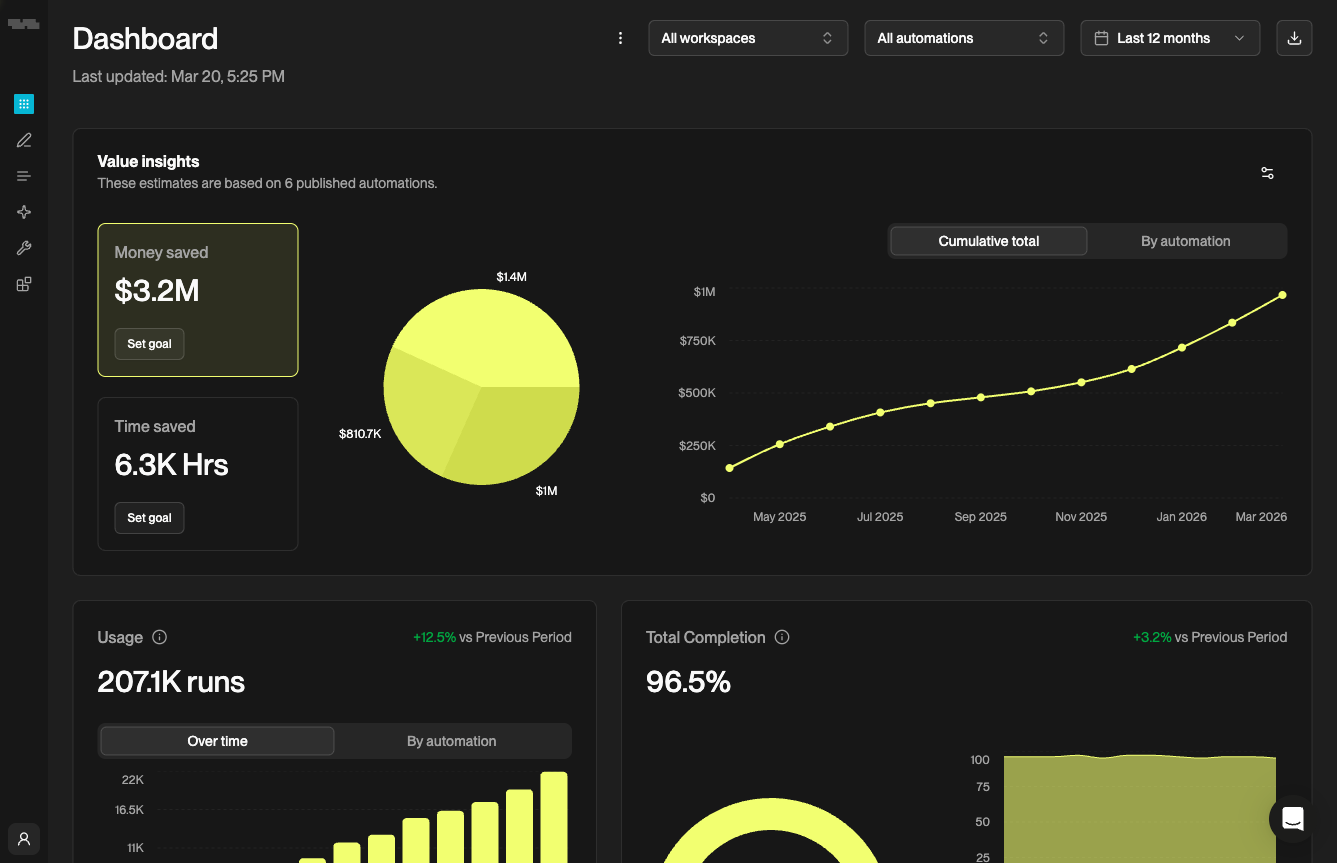
The **Performance Dashboard** gives you an organization-wide view of how your automations are performing. Access it from the user menu by clicking your name in the bottom-left corner, then selecting Dashboard.
## Filters
Use the filters at the top of the dashboard to scope the data:
* **Workspace** - view all workspaces or select a specific one
* **Automation** - view all automations or focus on a single one
* **Time range** - Last 7 days, Last 30 days, Last 12 months, or a custom range
Click the download icon to export the current dashboard view as an image.
## Value Insights
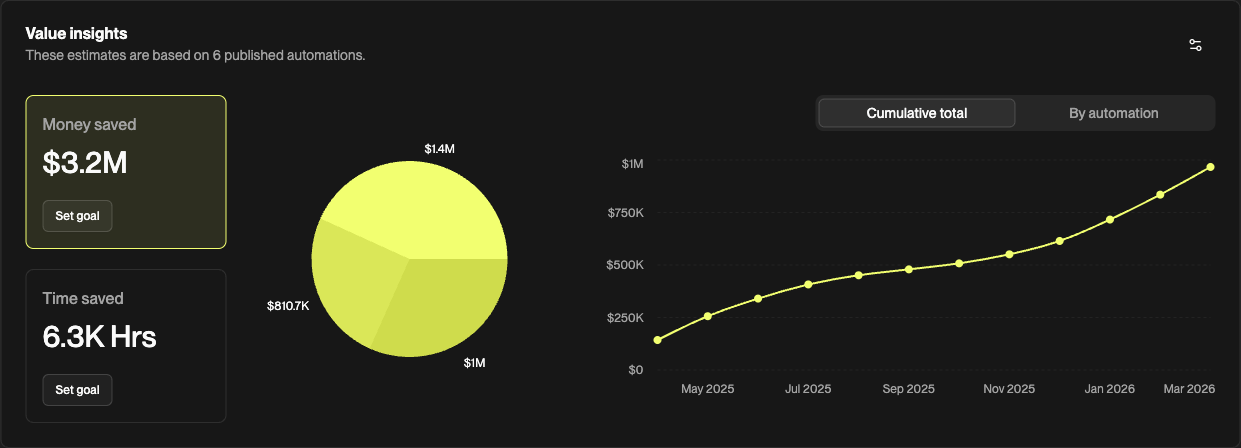
The **Value Insights** section shows the estimated business impact of your automations.
* **Money saved** - total estimated cost savings across all runs
* **Time saved** - total estimated hours saved
A **pie chart** breaks down savings by automation, and a **line chart** tracks cumulative savings over the selected time range. Toggle between **Cumulative total** and **By automation** to change the view. Click Set goal on either metric to set a target.
{% hint style="info" %}
Value Insights requires cost and time estimates configured on your automations. If you haven't set these up yet, click Configure estimates to get started.
{% endhint %}
## Usage
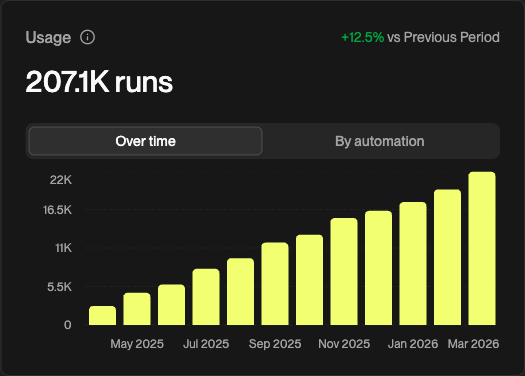
The **Usage** section shows total automation runs for the selected time range, with a percentage change compared to the previous period.
Toggle between two views:
* **Over time** - a bar chart showing run volume by month
* **By automation** - a bar chart breaking down runs by automation
## Total Completion
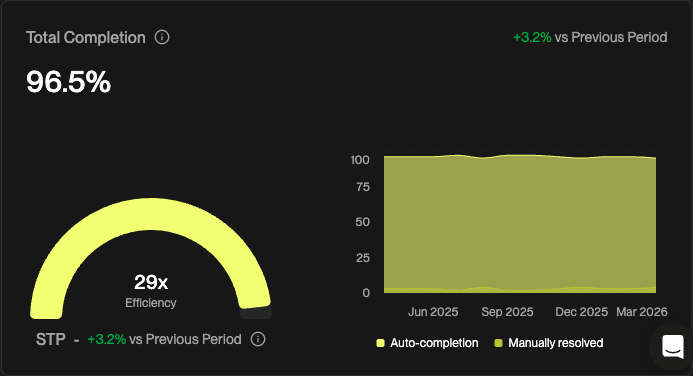
The **Total Completion** section shows the percentage of runs that completed successfully, with a comparison to the previous period.
* **Efficiency gauge** - a gauge showing overall completion rate with an efficiency multiplier
* **STP (Straight-Through Processing)** - the percentage of runs that completed without any human intervention, with a period-over-period comparison
* **Completion over time** - a stacked bar chart showing the split between auto-completed runs and manually resolved runs by month
{% hint style="info" %}
A high STP rate means your automations are running end-to-end without human guidance. Use the [Troubleshooting Guide](/guides/platform/automations/troubleshooting-guide.md) to save resolutions for recurring exceptions and improve STP over time.
{% endhint %}